Category: Manage family trees
-
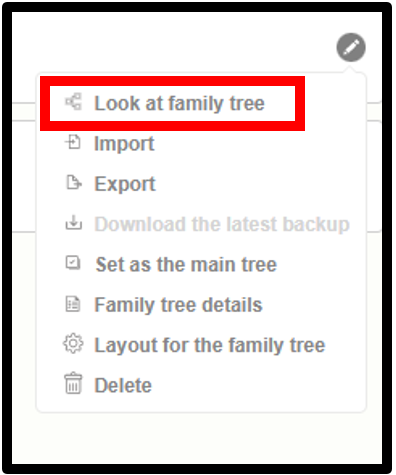
View the family tree
1. Go to the version 10 web application. 2. Click on the drop-down icon near the family tree name. 3. Then click the ‘Manage Family Trees’ option. 4. Now the already created tree list can now be seen 5. Click on the ‘edit’ icon next to the family tree that the user wants to view…
-
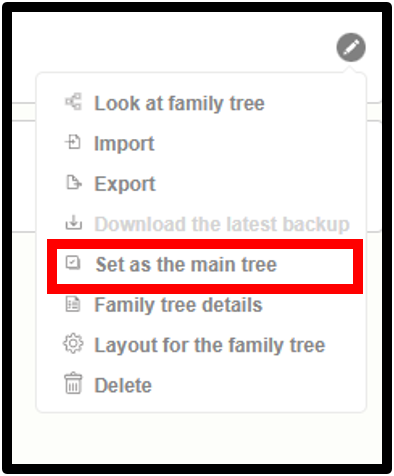
Set as a main Family tree
1. Go to the version 10 web application. 2. Click on the drop-down icon near the family tree name. 3. Then click “Manage Family Trees” option. 4. View the list of already created trees. 5. Click on the edit icon next to the family tree for which the user wants to view details. 6. Click…
-
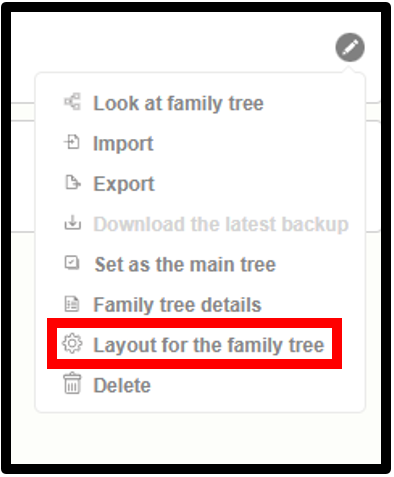
Layout for the Family tree
1. Go to the version 10 web application. 2. Click on the dropdown icon near the Family tree name. 3. Click on the “Manage Family Trees” option. 4. View the list of already created trees 5. Click on the edit icon next to the tree for which the user wants to set up the layout.…
-
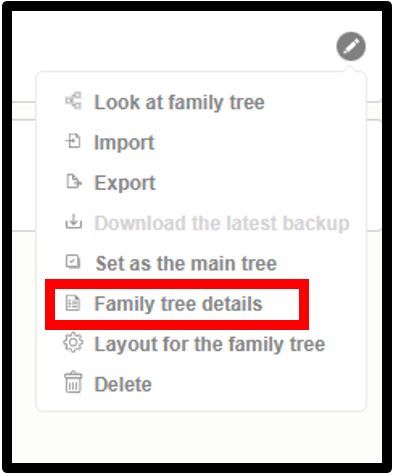
Family Tree Details
1. Go to the version 10 web application. 2. Click on the drop-down icon near the family tree name. 3. Click on the “Manage Family Trees” option. 4. View the list of already created trees 5. Click on the edit icon next to the tree that is to be viewed by the user 6. Select…
-
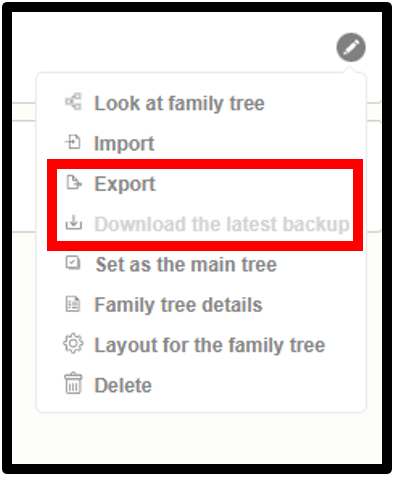
Export Family Tree
1. Go to the version 10 web application. 2. Click on the drop-down icon near the family tree name. 3. Then click ” Manage Family Trees” option. 4. Now the already created tree list can be seen 5. Click on the “edit” icon next to the tree that is to be exported by the user. 6.…
-
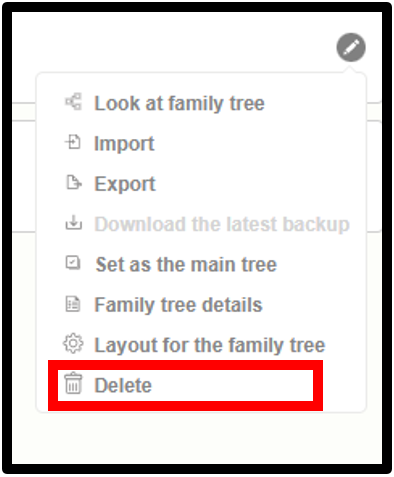
Delete Family Tree
1. Go to the version 10 web application. 2. Click on the drop-down icon near the family tree name. 3. Click on the ‘Manage Family Tree’ link 4. View the list of already created trees. 5. Click on the edit icon next to the tree that is to be deleted by the user. 6. Choose…
-
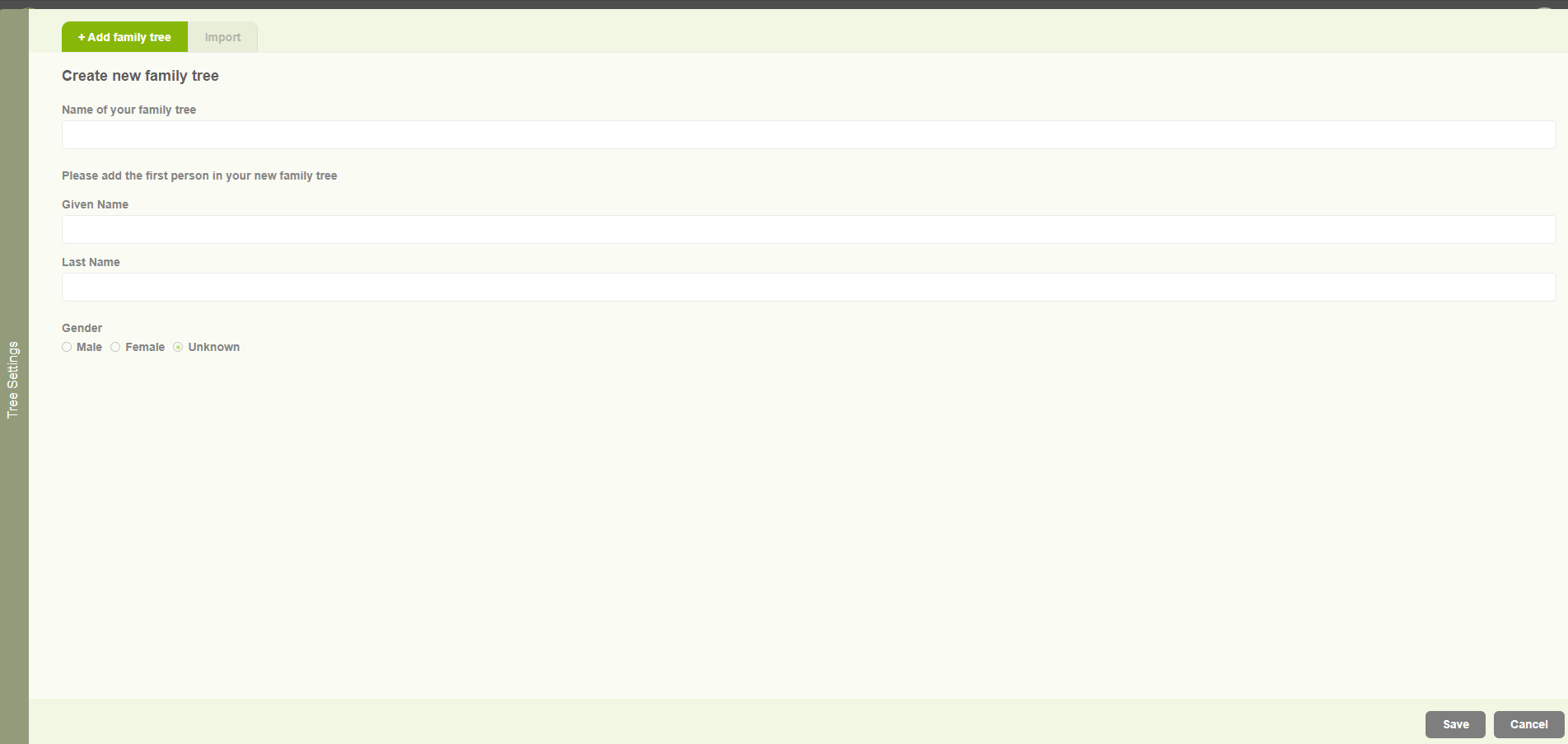
Create family tree for existing user
1. Existing users browse http://embla.no/ from their browsers. Then the user can input their email & password to log into the system account. 2. When the user enters the correct credentials, the user will navigate to the user account page and display the username in the window. 3. Then the user can click on the…