The overview form opens by clicking on the button with the image of a tree.

In the Overview form you can see six generations with ancestors and three generations with descendants, as well as all siblings and cohabiting partners / spouses / cohabitants etc. In total you can see eight generations on one screen at the same time.
Use the Overview form to get the big overview and to enter names in the family tree very quickly.
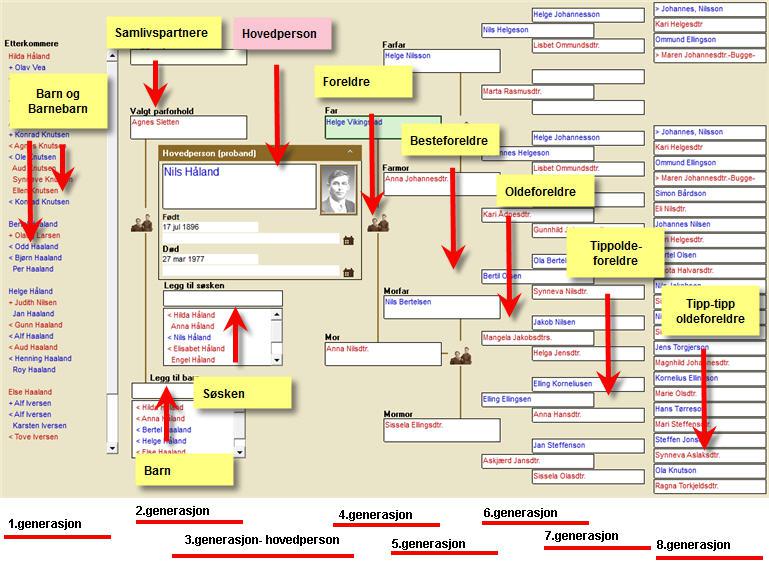
Not everyone can see all generations on the screen at the same time. The resolution of the screen is crucial and can be changed in Windows. But there are several ways to navigate, although not everything is displayed on the screen at the same time.
Main character – Proband
As you have probably noticed, one person is highlighted in the Overview Form. This is the person in the center, who in genealogy is called “Proband”. All the people shown in the Summary Form are related to this main character.
Leave a Reply