
The family form can be opened in several different ways:
- By clicking on the image of a family in the button row.
- By clicking on a family button in the Overview form.
- By clicking on a family button in the Person form.
- By double-clicking an entry in the quick list for families.
- By double-clicking a family entry in the to-do list.
A family is a collection of two or more individuals that form one nuclear family. A core family is mother, father and children. A family cannot consist of one person alone.
It is in the Family Form that you document the story of the family.
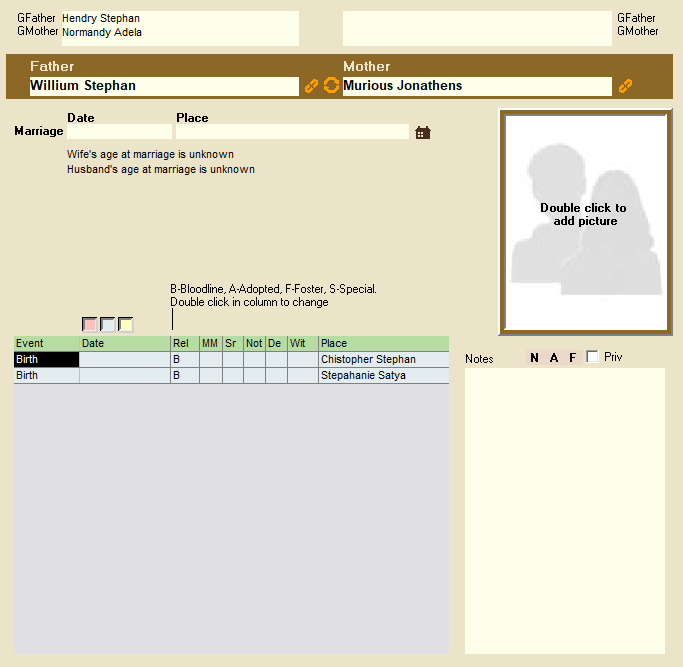
As the picture shows, the Family Form is divided into two.
- At the very top are the names of four grandparents, mother and father of the family’s parents. It is not possible to write or edit anything in these fields, which are for viewing and navigation only.
- The family in the center – in the Family Form, people are connected to core families, the father and mother’s cohabitation can be registered, and the family’s history can be documented with events and the use of free text fields.
At the very top of the main part of the Family Form, there is an entry for father and mother. It is not possible to write directly in these fields, but it is possible to drag a person from the person list and drop him / her in the fields for father and mother.
Leave a Reply