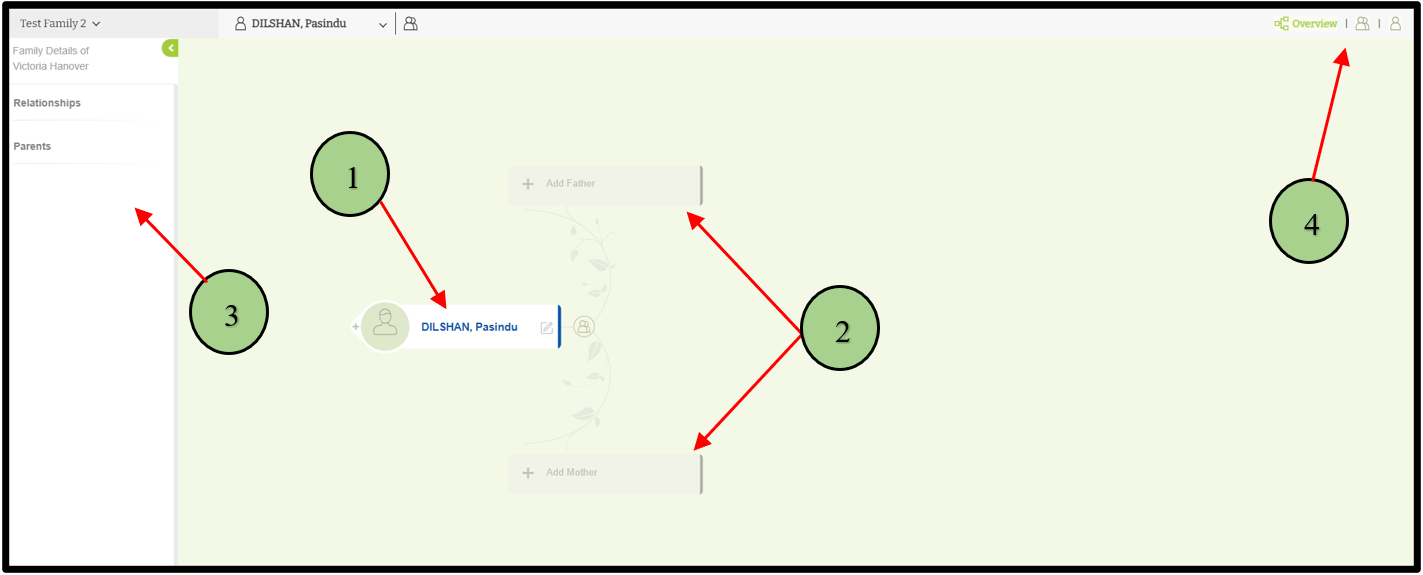
When a user navigates to the “Tree Editor” view for the first time,
- The user can see the first node of the family with the initially added person (Root person)
- Users can add ancestors
- The left side panel will display the immediate family details ( Married family and the Parent’s family)
- In the upper right corner locate the Editor tabs, where the user can shift to different editor modes. (Tree editor, Family editor and Member editor)
Leave a Reply