- Open the “Embla Familie og Slekt v9” application.
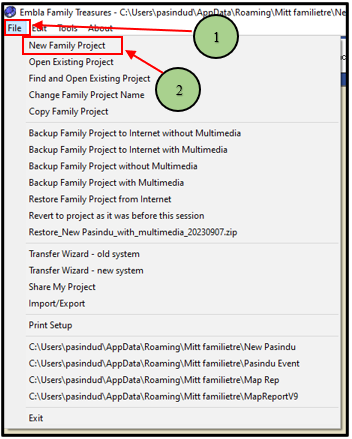
- Click the “File” option and then click the “New Family project” option in the drop-down list.
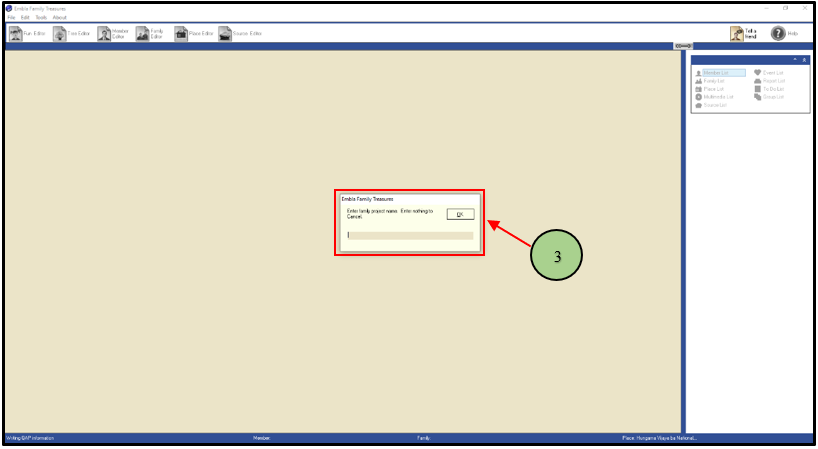
3. Add a name for the family and click the “OK” button.
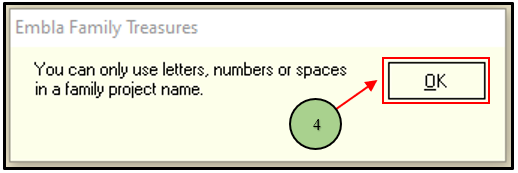
4. If the user adds invalid characters for the name, then display that pop-up. You can only use letters, numbers, and spaces for that name creation. Then click the OK option from there.
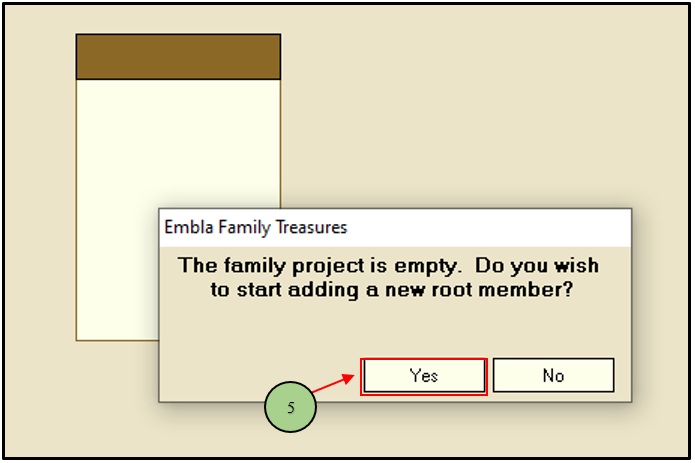
5. Then press the “Yes” button to add a new root member for the tree.
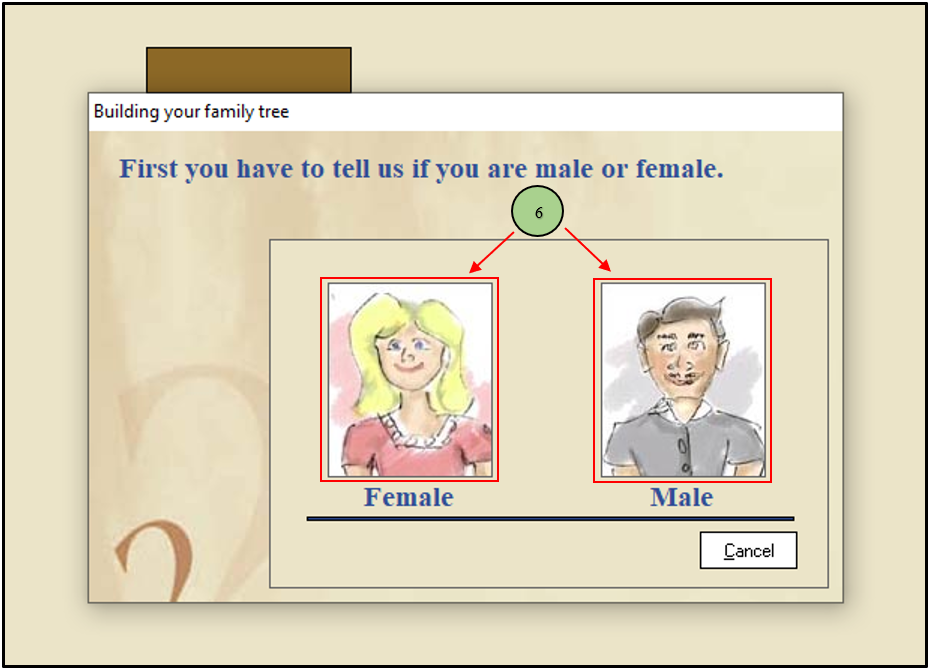
6. Select the root member’s gender from that.
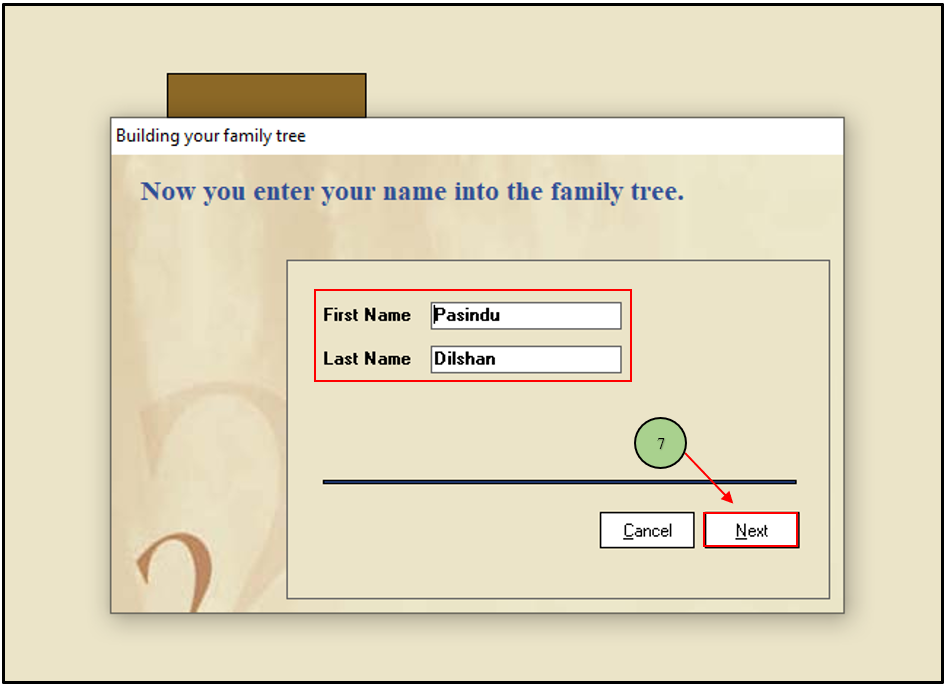
7. Add the first and last name of the root member and click the “Next” button.
8. Finally, you can see the newly created family tree on your screen.

Leave a Reply