To ensure a smooth migration from V9 to V10, follow these steps:
- Backup Your Family Tree:
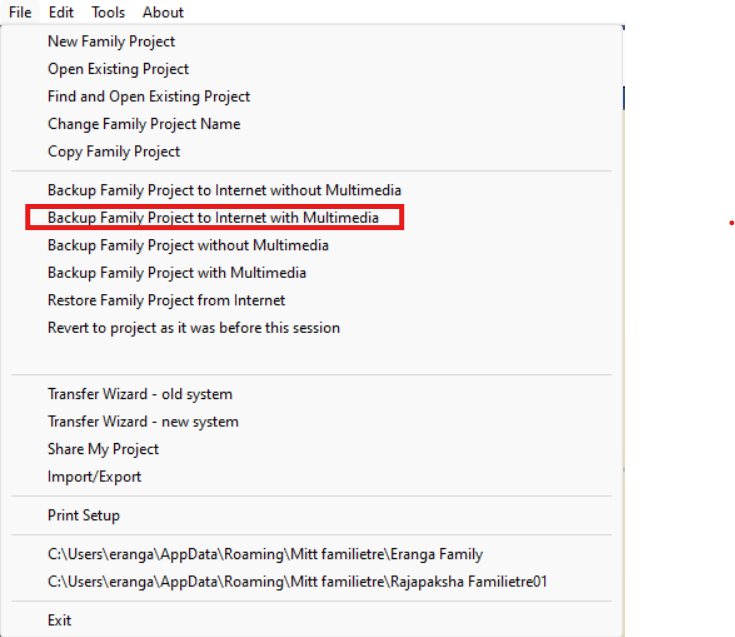
- Backup to Cloud:
- Click on “Backup family project to internet with multimedia.”
- Backup to Cloud:
-
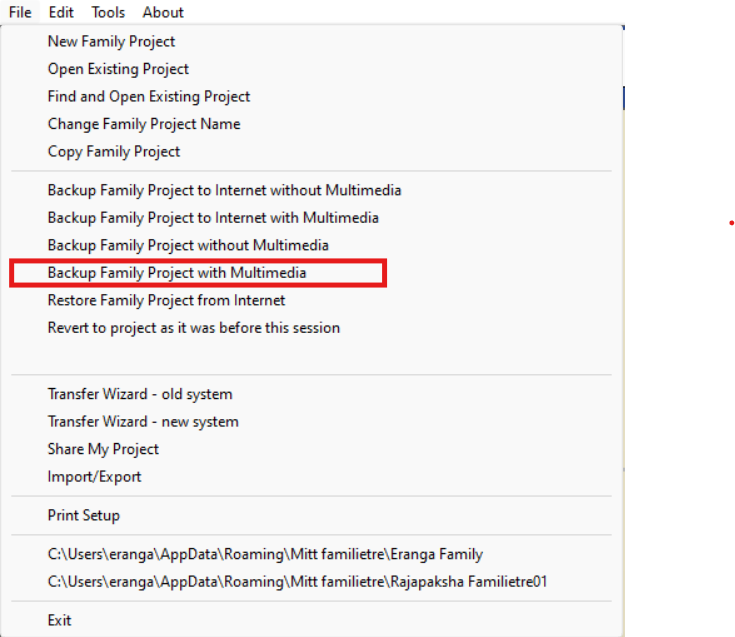
- Backup to Local PC:
- Follow the instructions to save the family tree locally.
- Backup to Local PC:
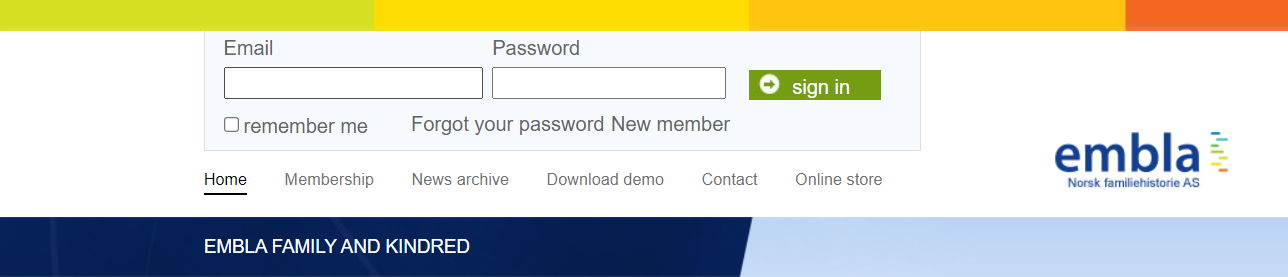
- Access the Embla Website:
- Visit www.embla.no.
- Log in with your email and password.
- Restore Your Family Tree:
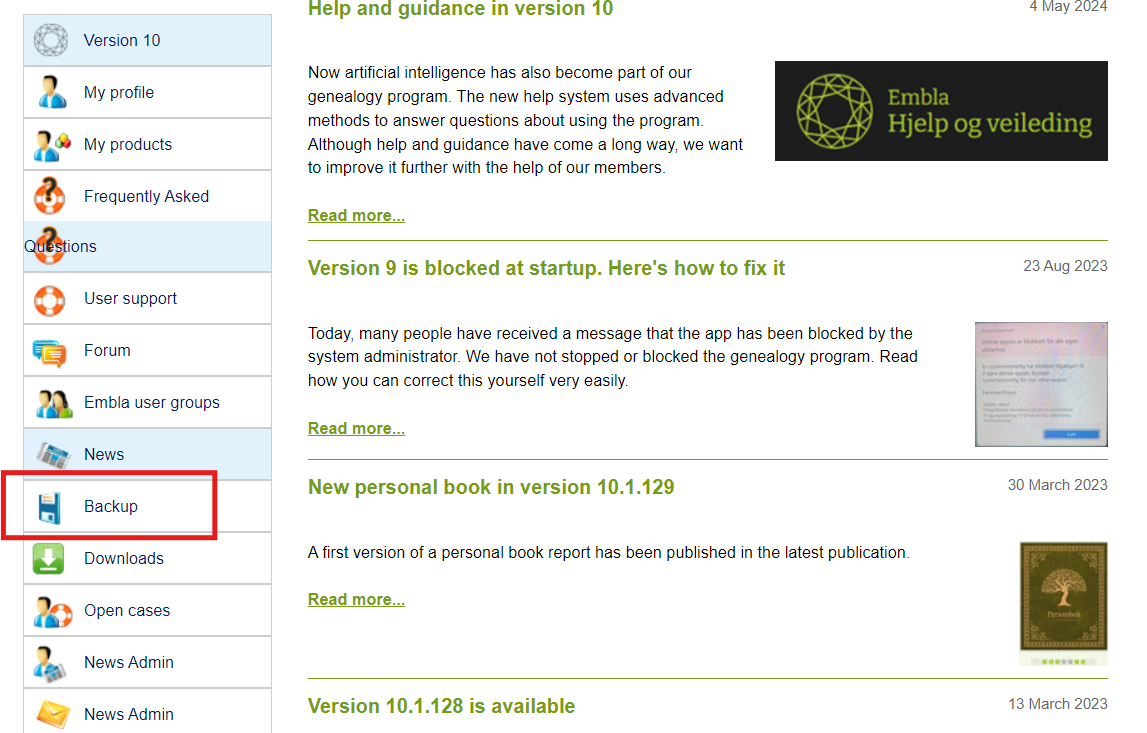
- Cloud Backup:
- Go to the Backup section.
- Cloud Backup:
-
-
- Locate your tree and proceed.
-

-
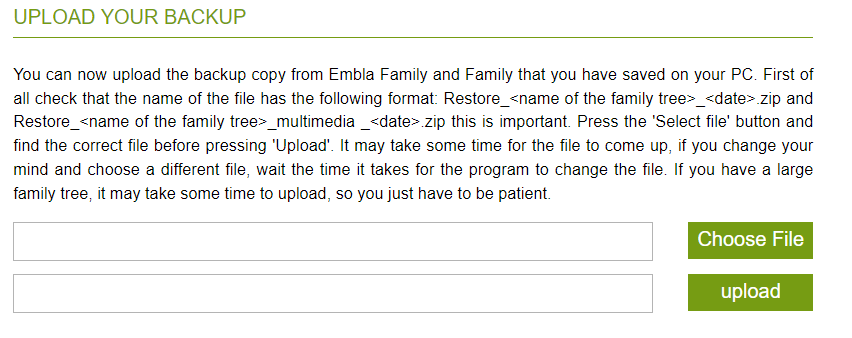
- Local Backup:
- Remove the “I” from the zip file name (e.g., change IRestore_Haaland Familietre_with_multimedia_20240411 to Restore_Haaland Familietre_with_multimedia_20240411).
- Upload the file on the site.
- Local Backup:
- Complete the Migration:
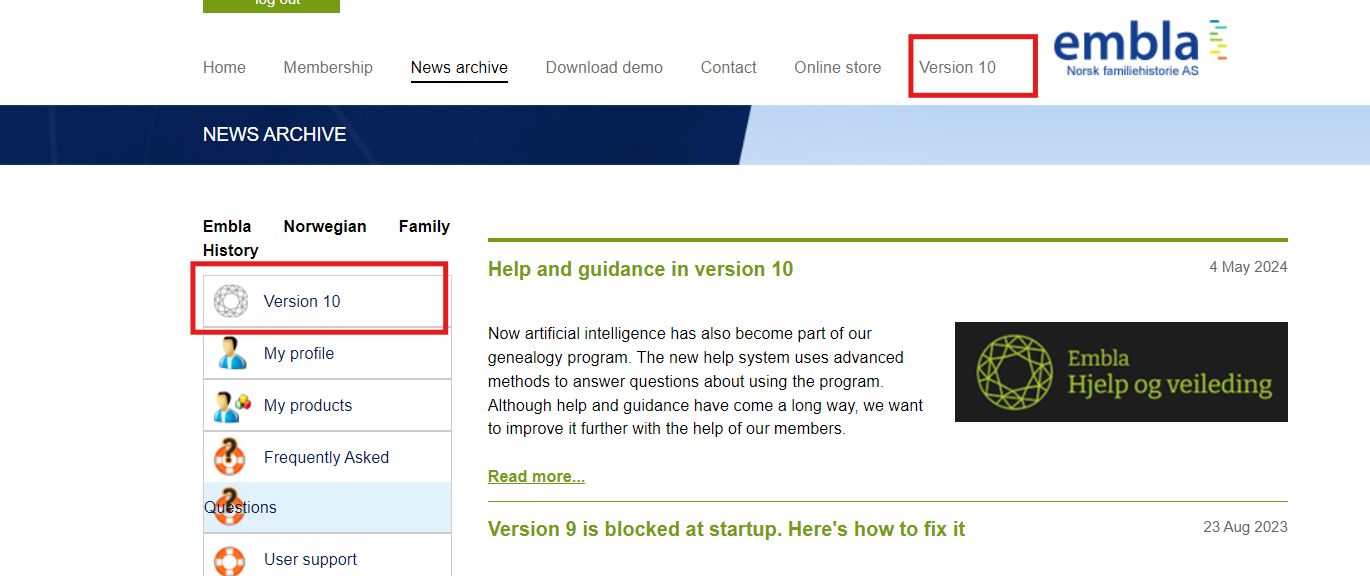
- Once the upload is complete, your family tree will appear in the list.
- Click on the Version 10 option.
-
- You will be directed to the V10 application with your family tree.
Leave a Reply