- New users browse Embla Norsk Familiehistorie from their browsers. Then the user can input their email and password to log into the account.
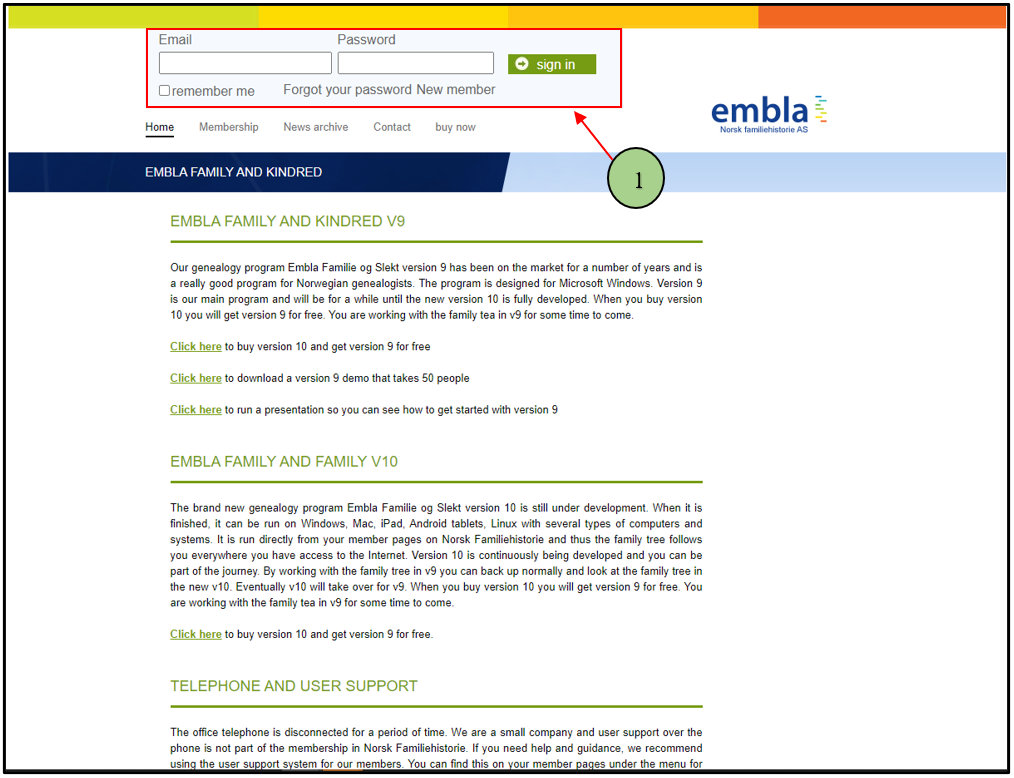
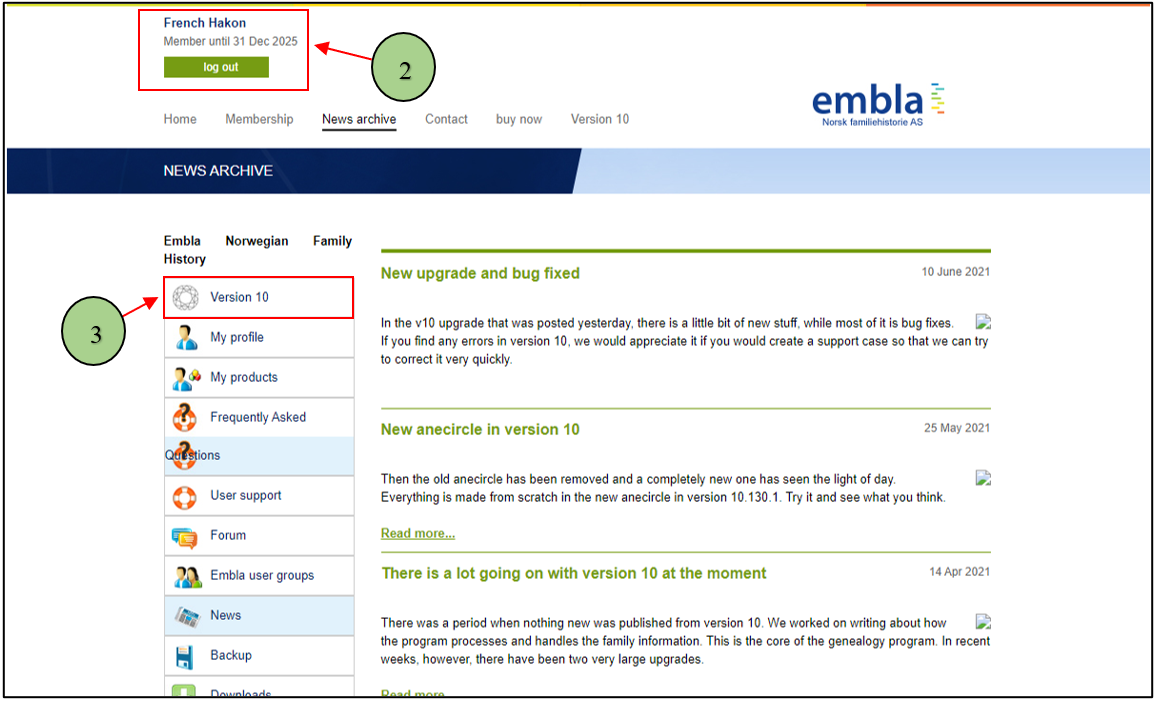
2. When the user enters the correct credentials, the user will navigate to the user account page and display the username in the window.
3. Then the user can click on the “Version 10” menu from the menu list.
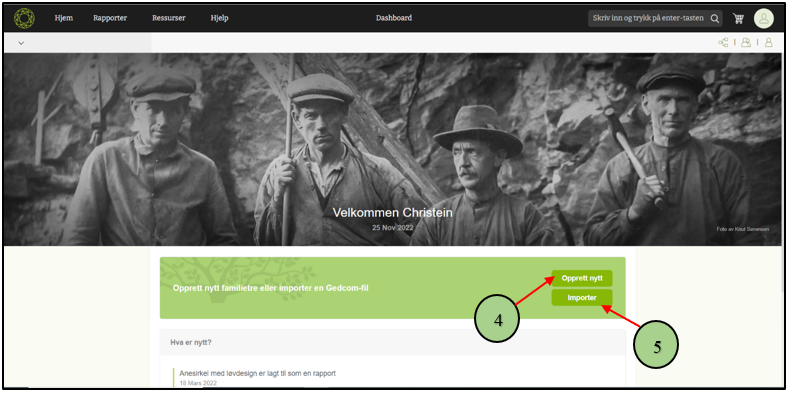
4. After that, the user can see the V10 application interface. That interface shows two buttons for starting. The first one is the “Create” button.
5. The second one is the “Import” button.
6. When clicking on the “Create” button, a popup will appear. Users can give a name for the family tree.
7. Then user can enter the first name and last name of the root person.
8. Then select the gender of the root person.
9. Finally, click on the Save Button.

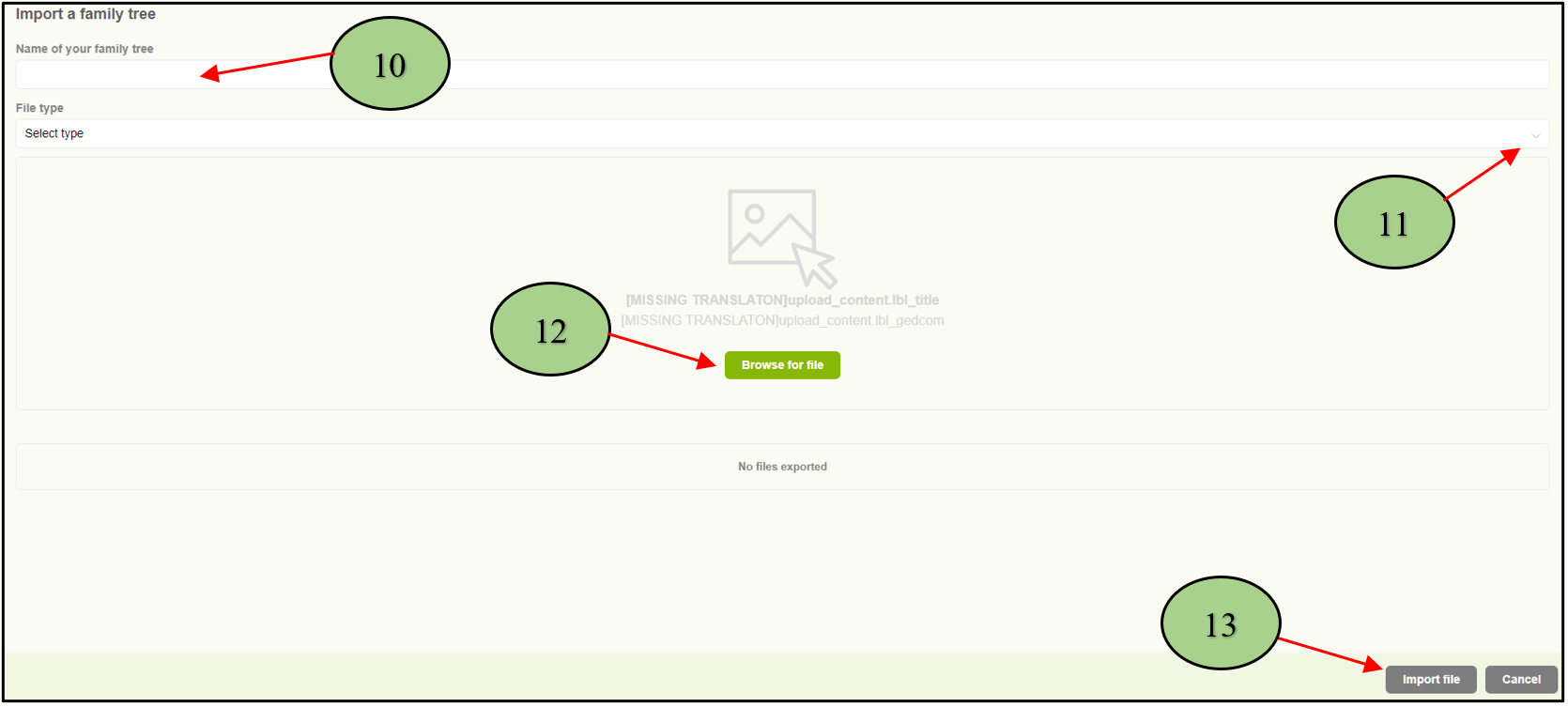
10. If the user clicks on the “Import” button in the V10 application interface, a popup will appear. Users can give a name for the family tree.
11. Then the user should select the “GEDCOM” file type from the drop-down menu.
12. Browse the GEDCOM file
13. Click on the “Import file” button.
Leave a Reply