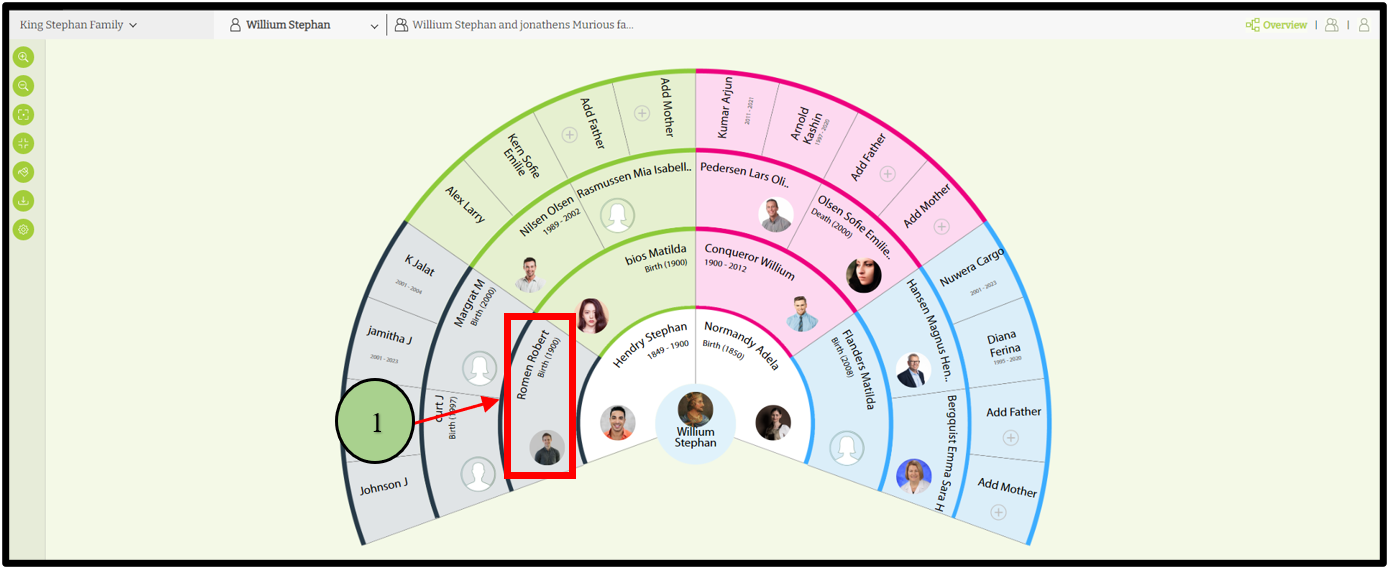
When clicking on the name of a person, he or she will become the root person of the fan chart.
1) Click on the name of the selected person.
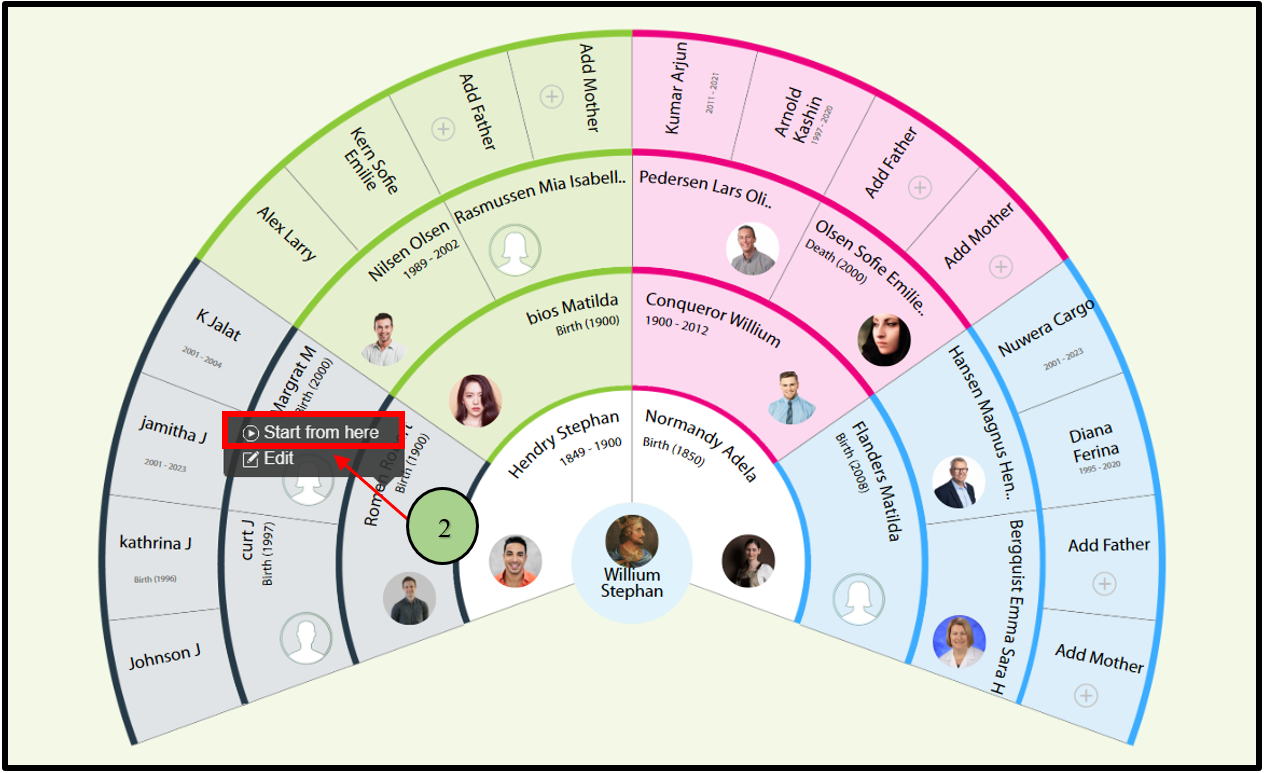
2) Then click on the “Start from here” option in the pop-up.
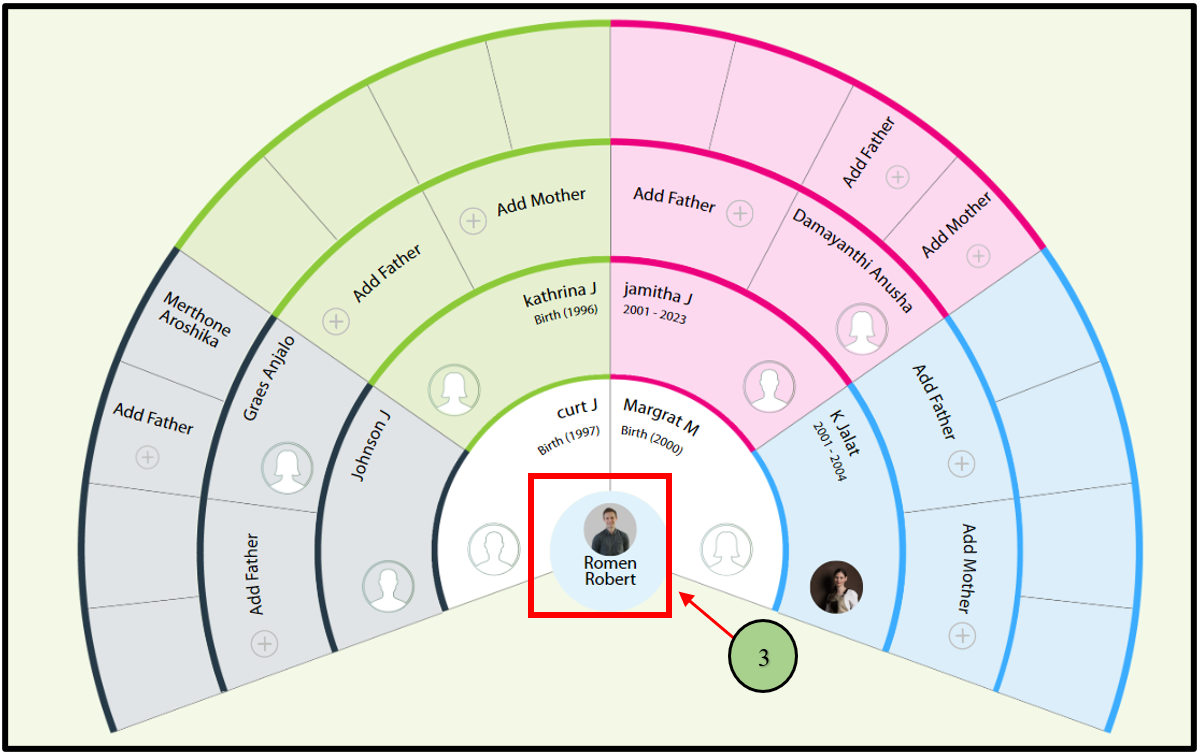
3) Then the selected person comes to the center as a root person.
Leave a Reply