1. Users can add a child to a family by clicking on the ‘Add children’ button “+” icon.
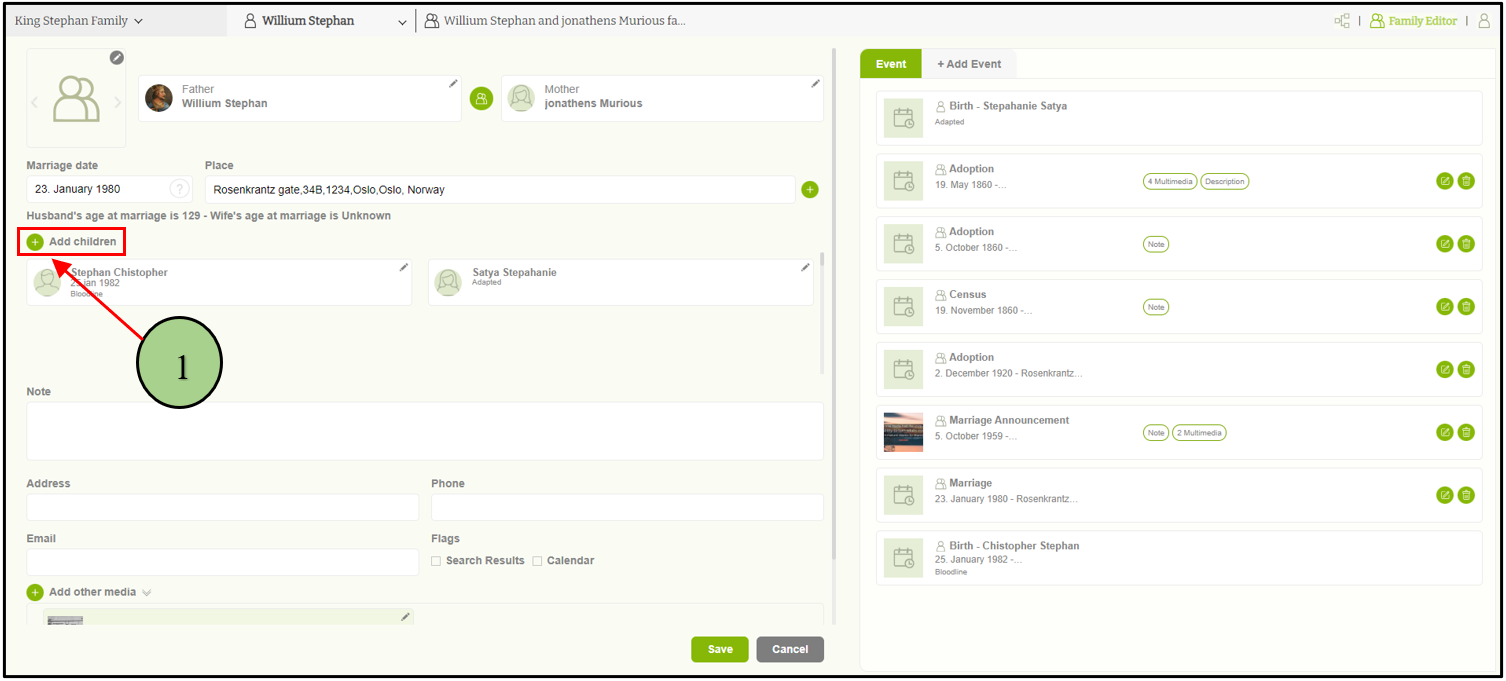
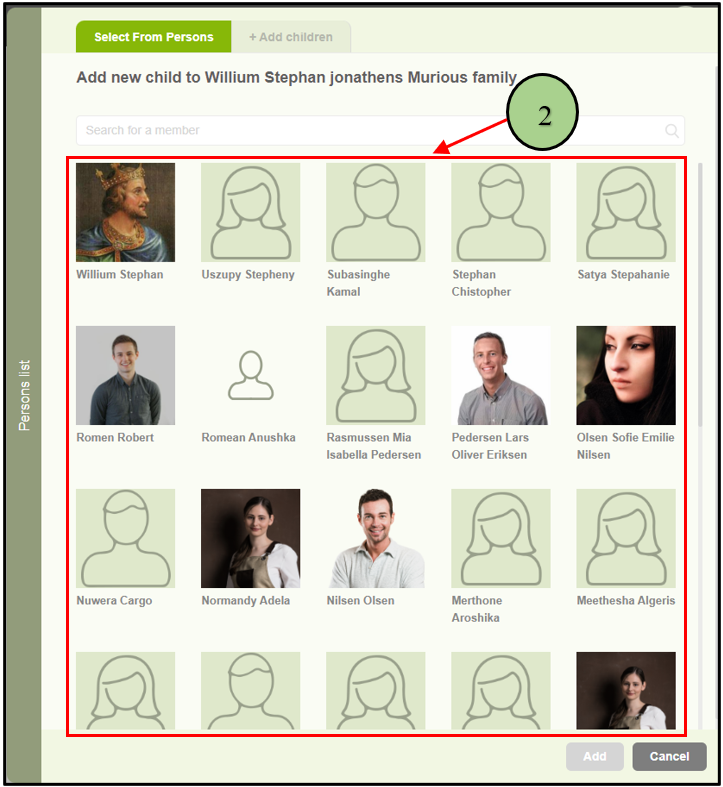
2. Then a popup will be opened with two tabs to select from the available list or to add a new child. If the user wants to add an existing person as a child, then the user must select the “Select from persons” tab first and select the relevant person.
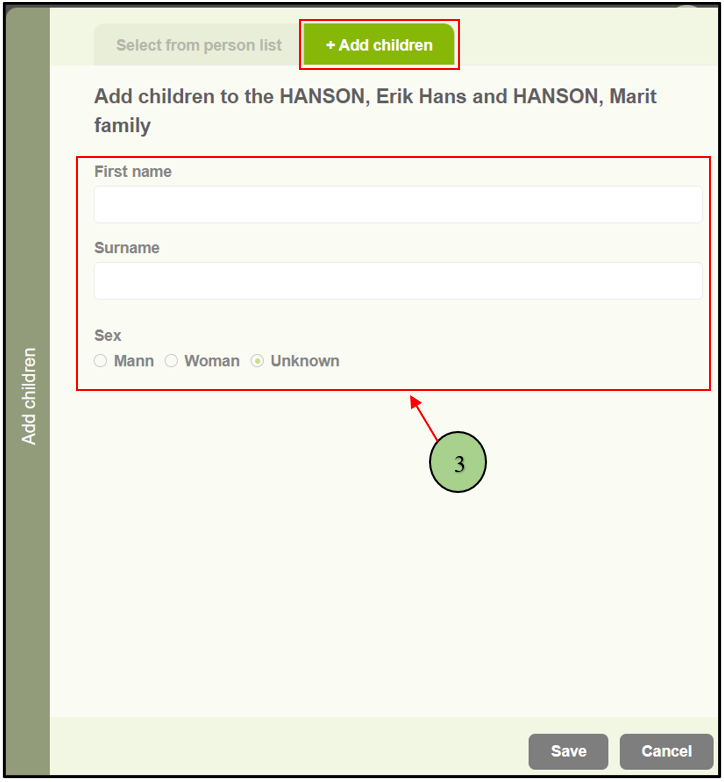
4. If the user wants to add a new person as a child, then select the “Add children” tab. Then the user can add the first name, last name, and gender to add the new person as a child to the family.
Leave a Reply