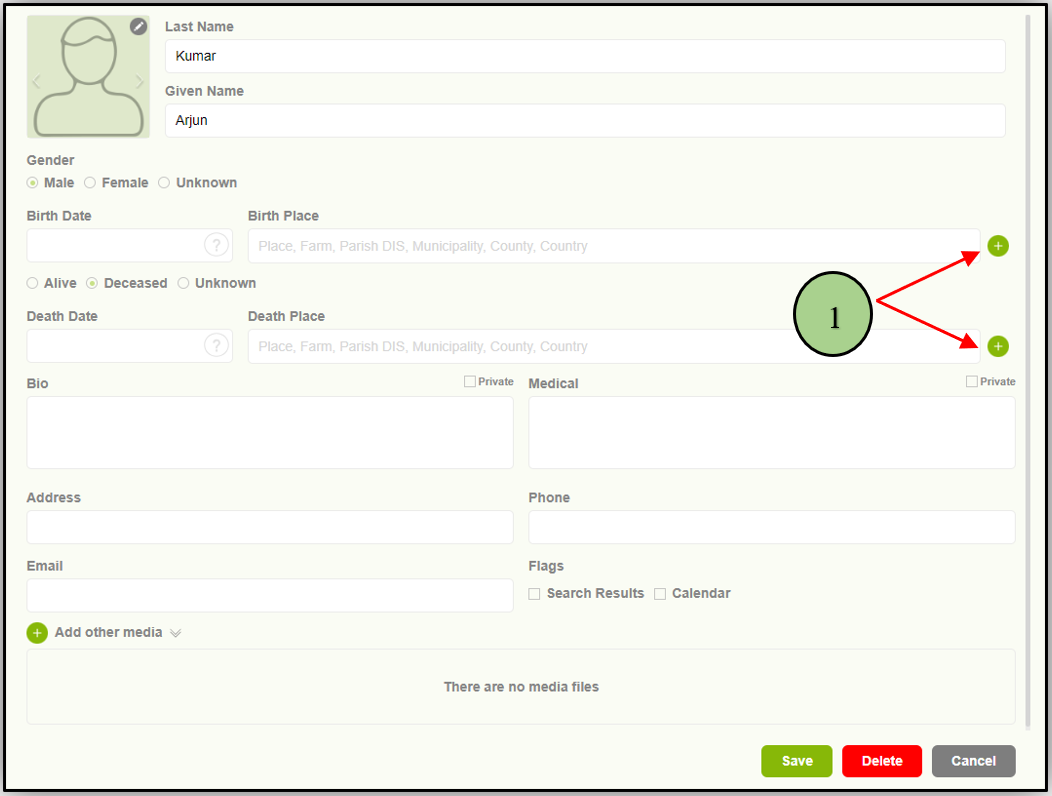
1. Users can add a Birthplace or a deathplace by clicking on the “+” icon in the member editor page
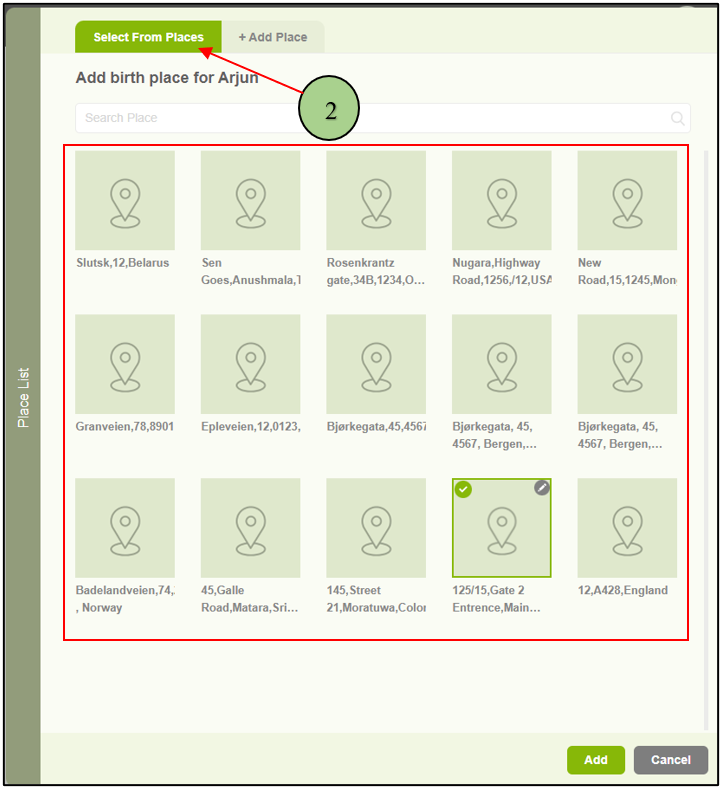
2. When clicking on the add location button, a popup will appear with two tabs. The First one is to select an existing place.
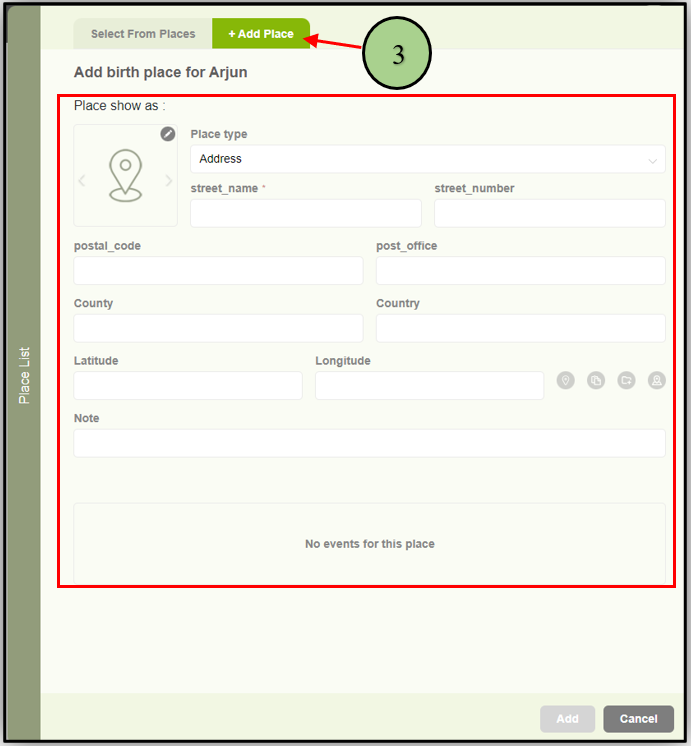
3. The other tab “Add Place” tab is to add a new location.
Leave a Reply