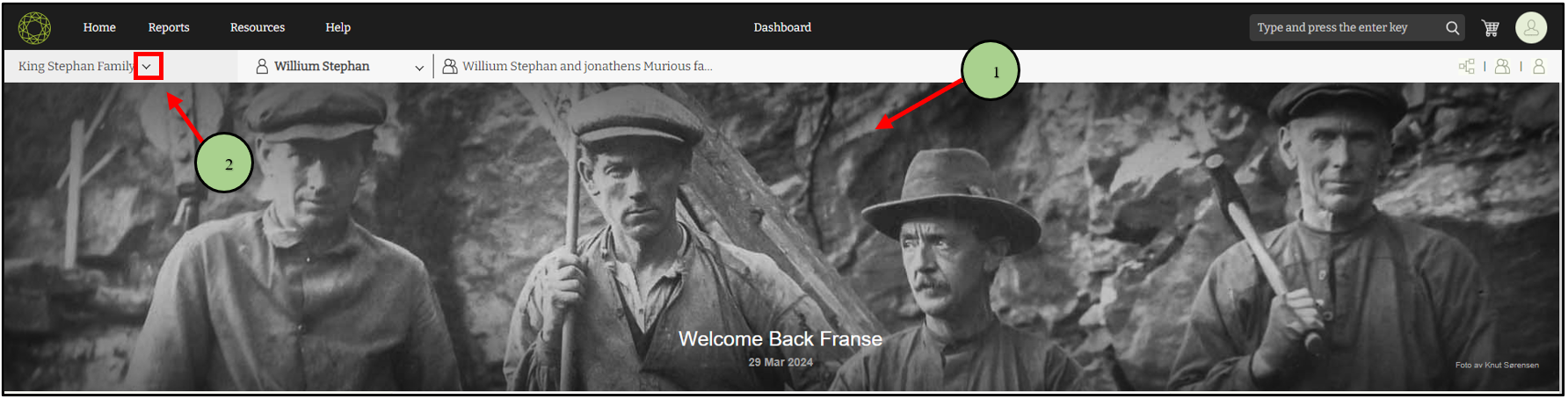
1. Go to the version 10 web application.
2. Click on the drop-down icon near the family tree name.
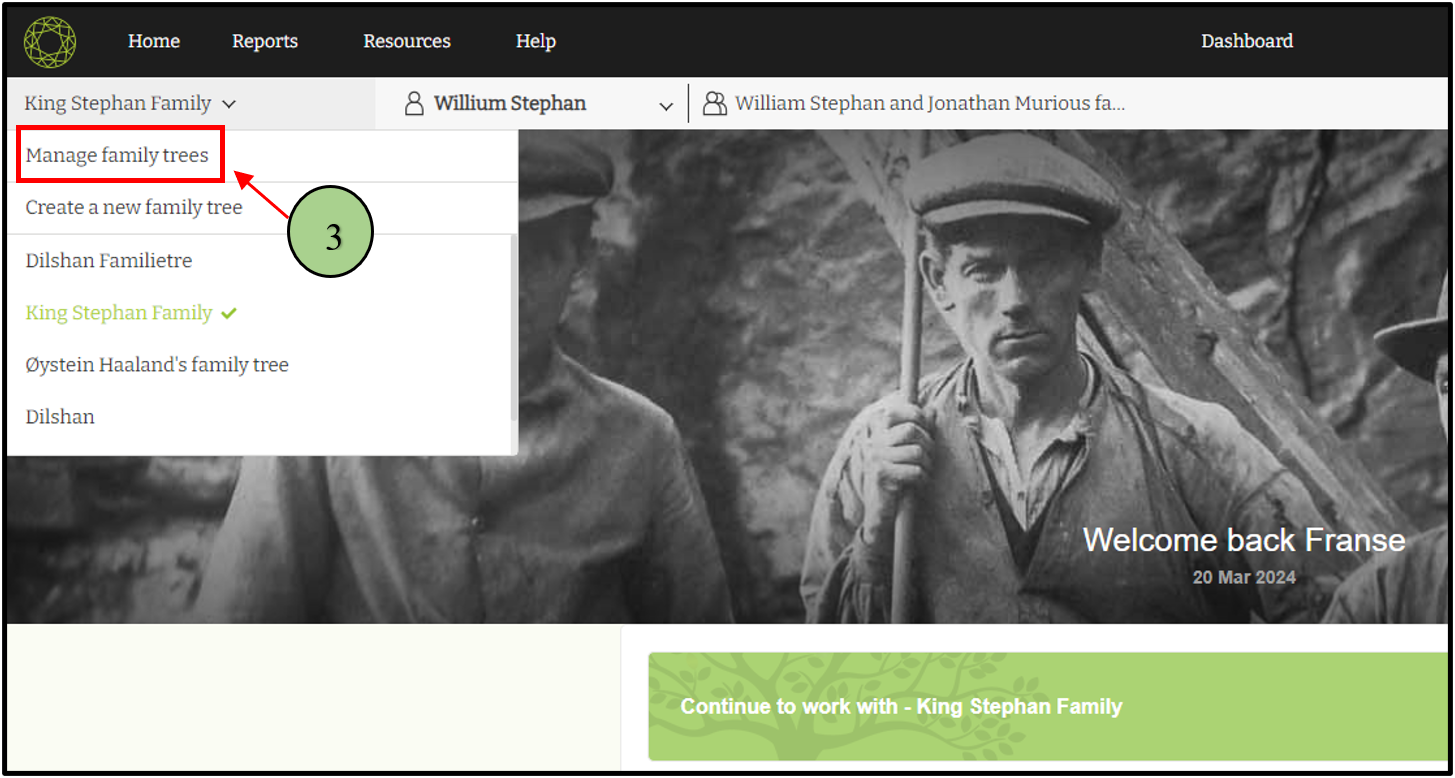
3. Then click the ‘Manage Family Trees’ option.
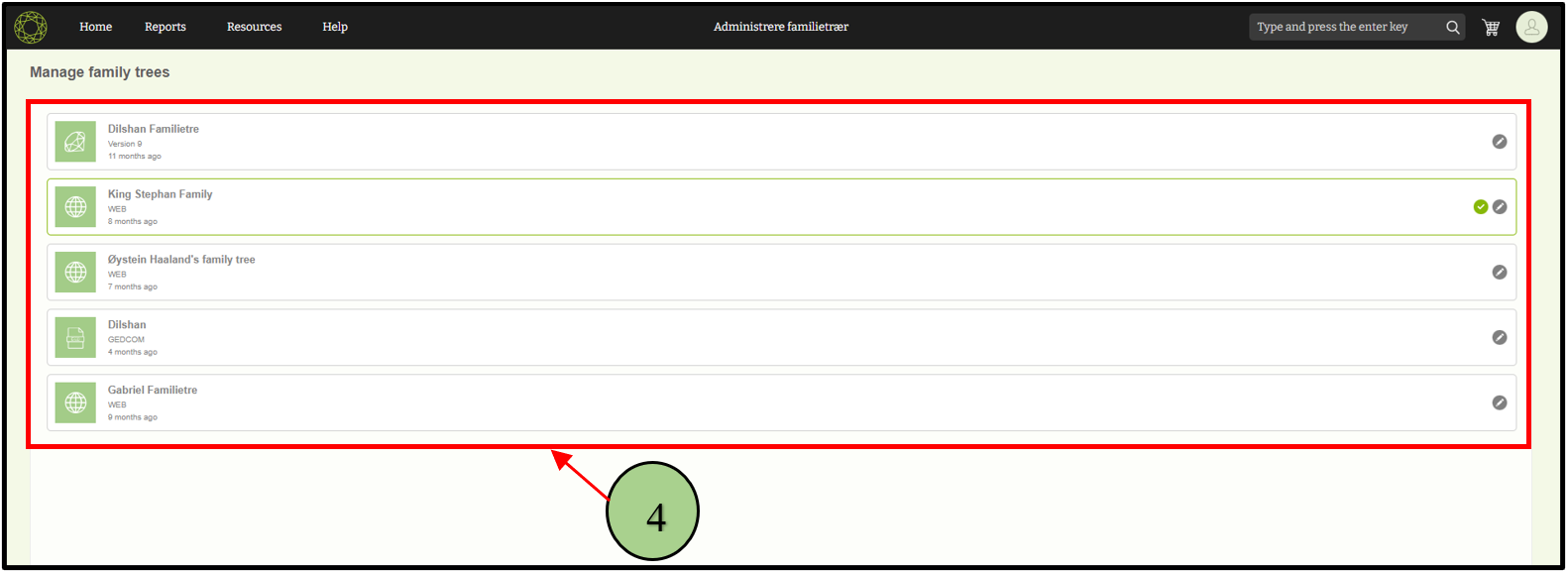
4. Now the already created tree list can now be seen
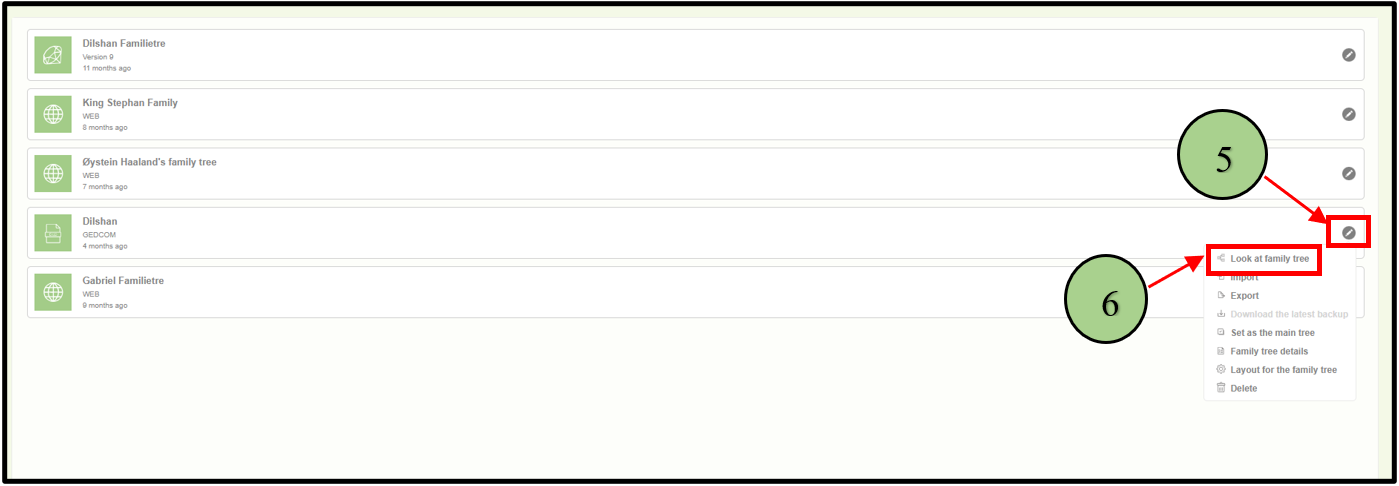
5. Click on the ‘edit’ icon next to the family tree that the user wants to view
6. Click on the ‘Look at family tree’ option.
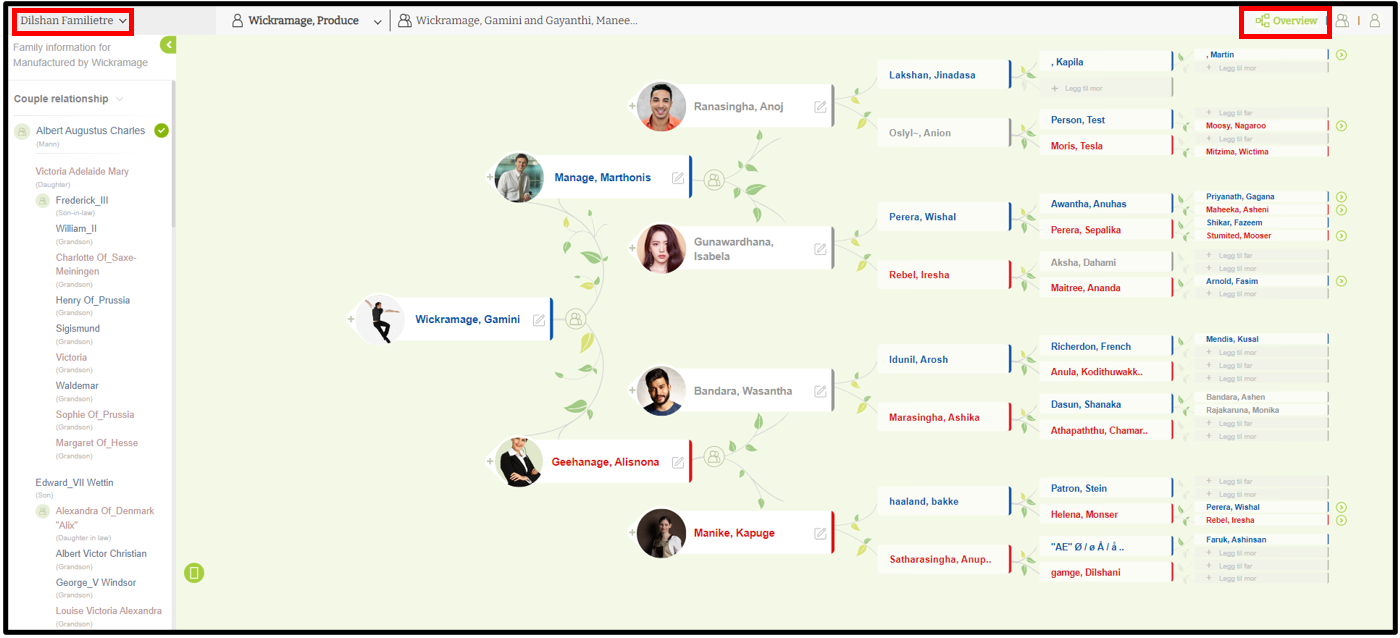
7. Then it will automatically navigate to the ‘Tree editor’ view of the selected family tree.
Leave a Reply