1. Go to the version 10 web application.
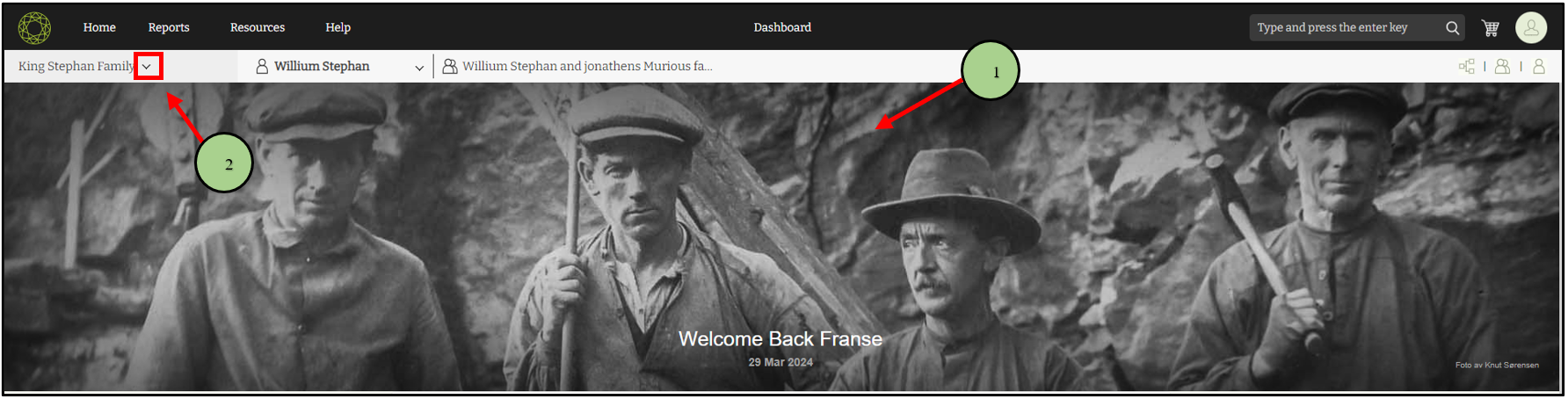
2. Click on the drop-down icon near the family tree name.
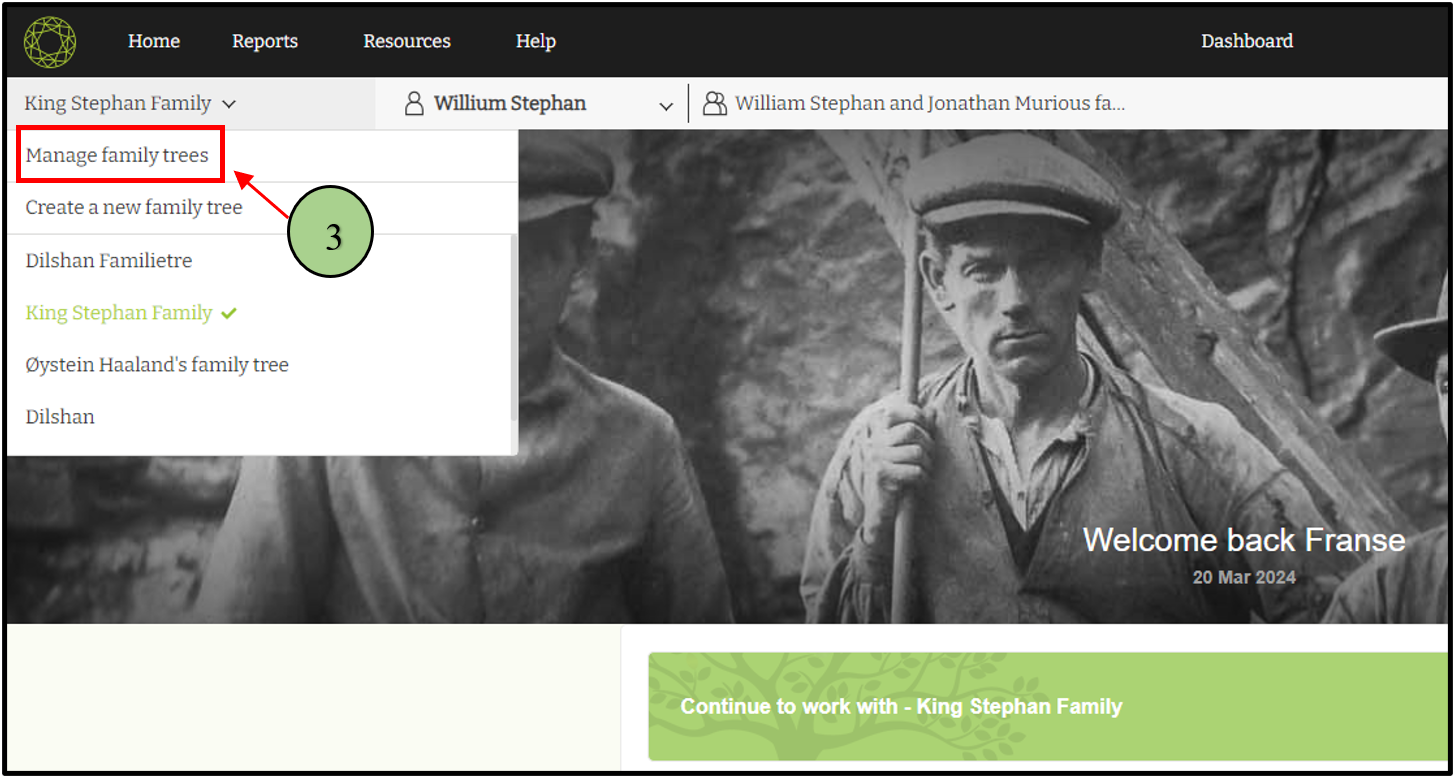
3. Click on the “Manage Family Trees” option.
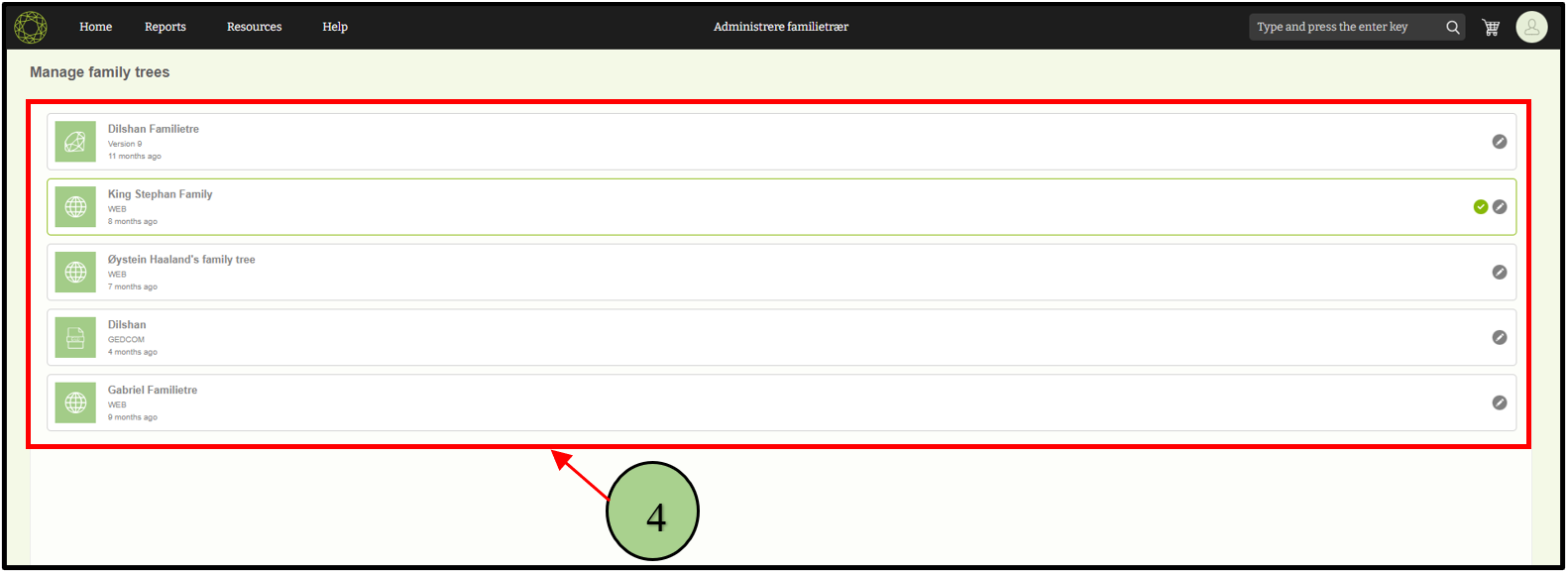
4. View the list of already created trees
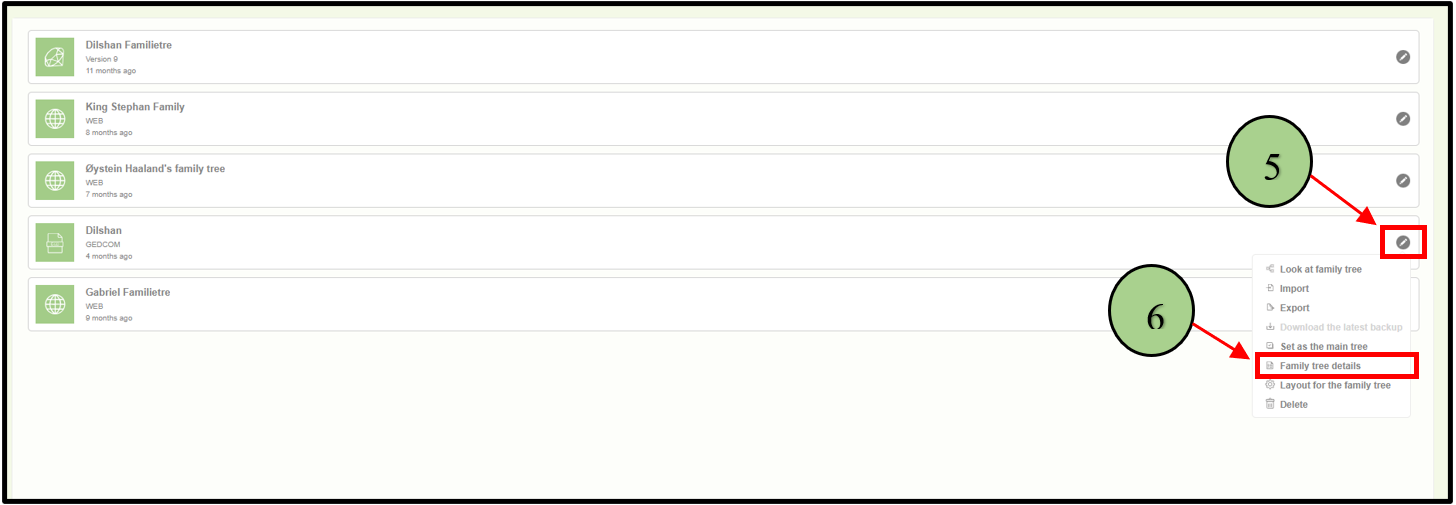
5. Click on the edit icon next to the tree that is to be viewed by the user
6. Select the “Family tree details” option.
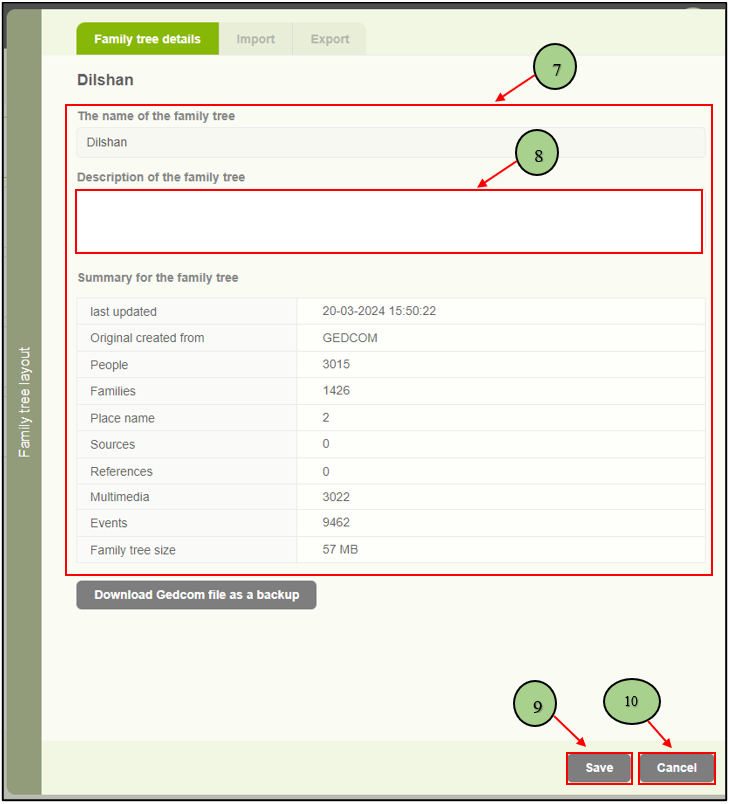
7. A side panel will appear displaying the tree’s related details, including: Tree name , Description , Last update date and time, Original created from, People count, Family count, Place name count, Sources count, References count, Multimedia count, Events count and the size of the family tree
8. Add or edit the description for the family tree in this panel.
9. Click on the “Save” button to save any changes made.
10. Alternatively, click on the “Cancel” button to exit without saving
Leave a Reply