Users can publish the fan chart report using the “publisher” option.
1. Click on the publisher icon
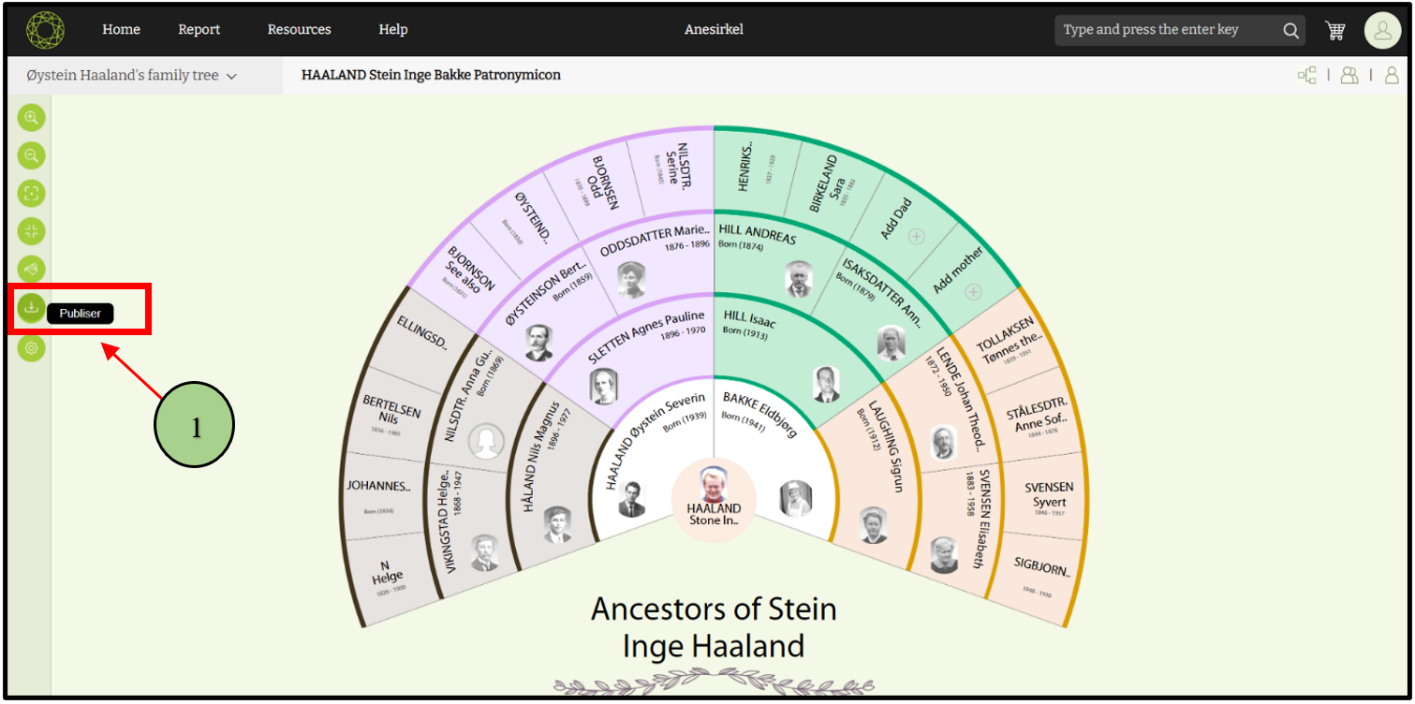
2. Then a popup will display to add a report title and to select the template type.
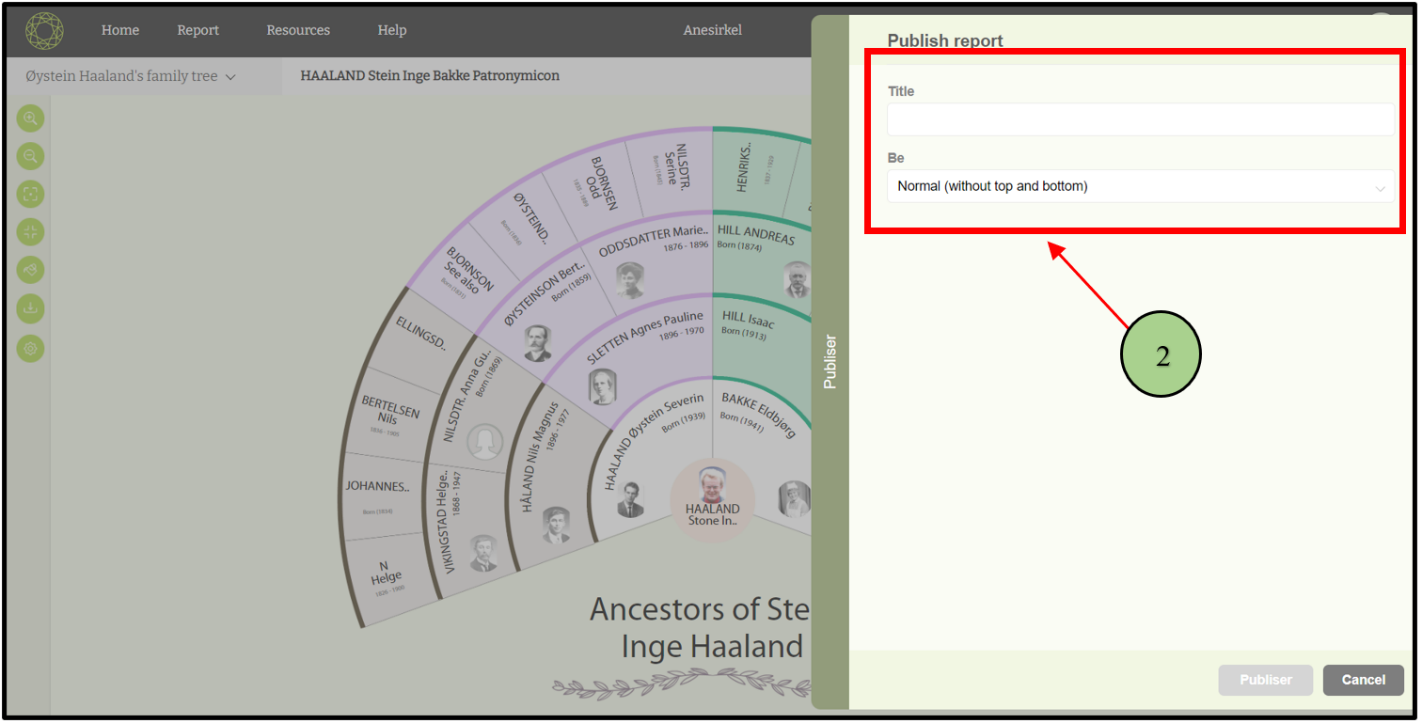
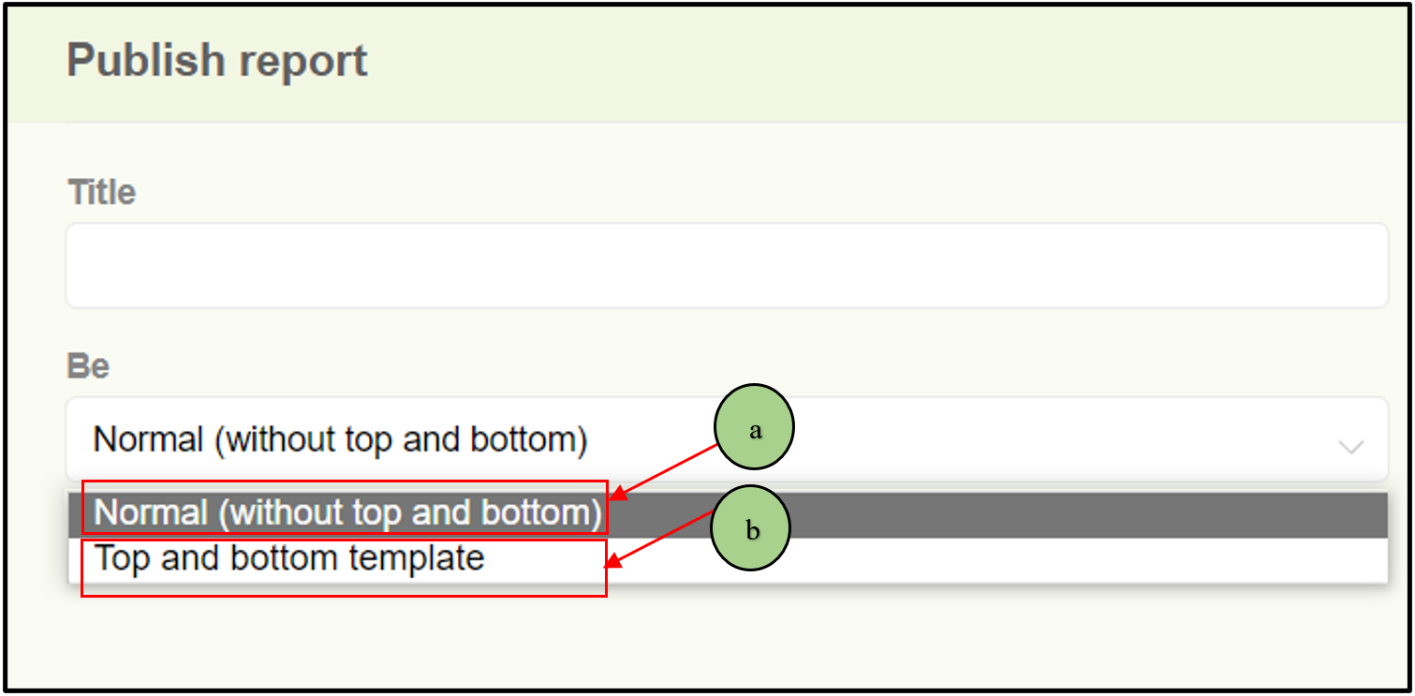
3. There are two types of report templates
a. Normal (without top and bottom)
b. Template with top and bottom
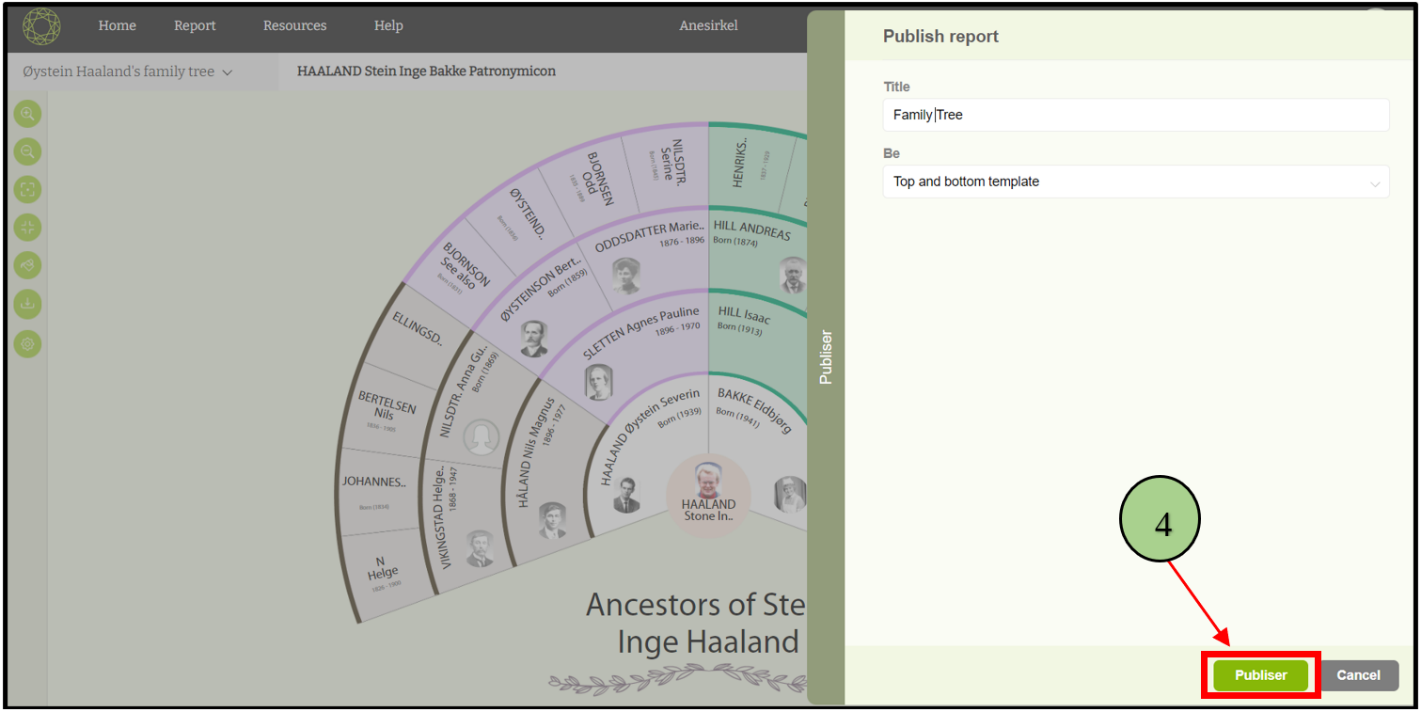
4. After adding title and the template type publisher button will enable. And click on it.
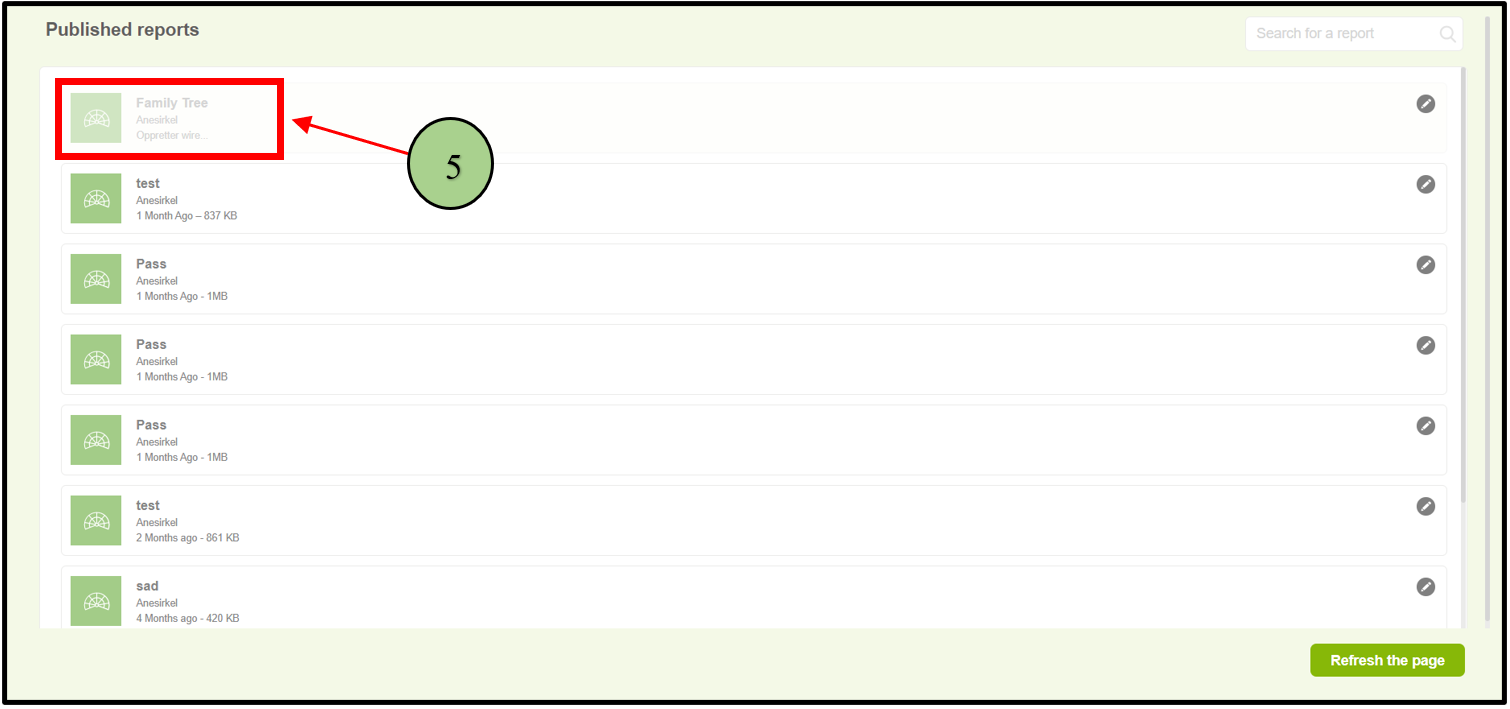
5. Then user will navigate to the reports page. In here latest report will be displayed in the top and users are able to view the file size and the time the report has been published.
Download report
6. Users are able to download a report by clicking on the “download” option available for each report

Delete report
7. User are able to delete a report by clicking on the “Delete” option available for each report

Leave a Reply