Users can change a profile image through the ‘Fan chart’ page.
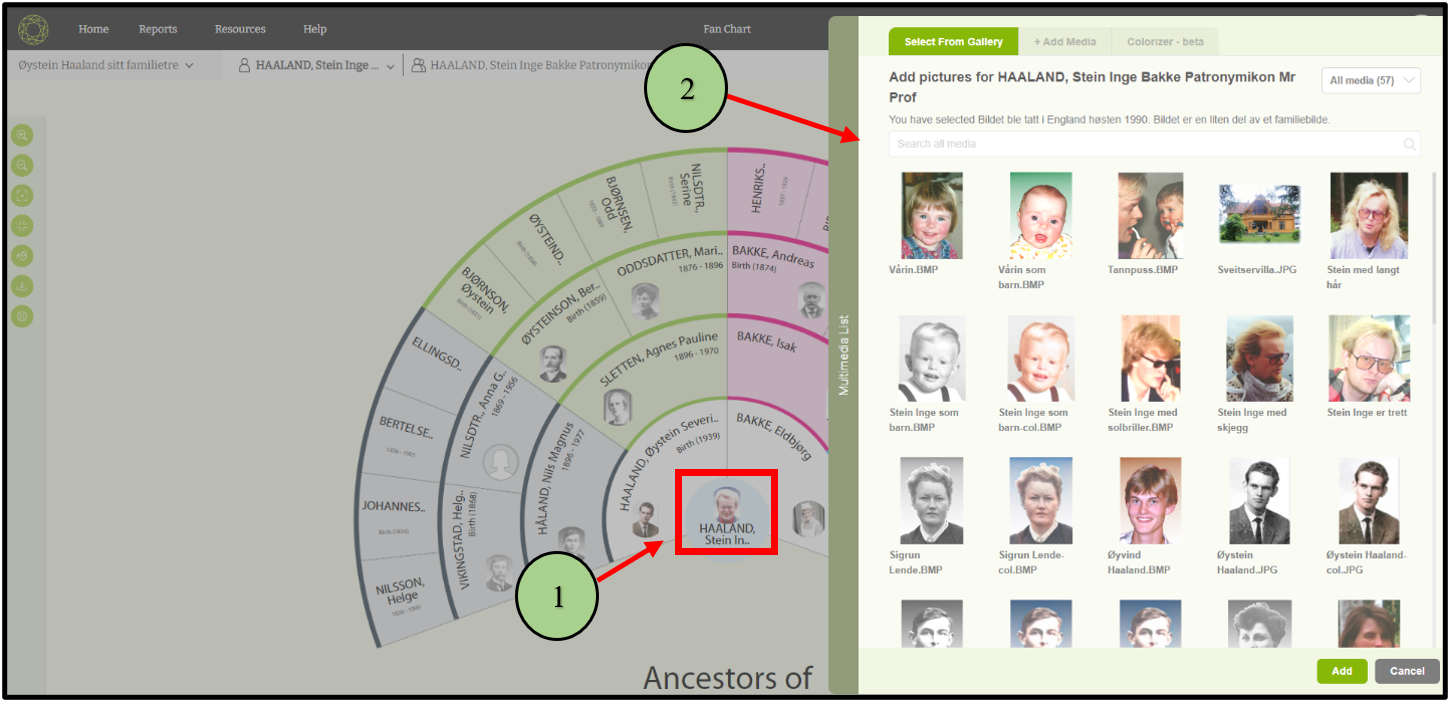
1. Click on the profile image of a member that needs to be changed.
2. Then a popup will open with available images.
3. Then the user can select an image that needs to be reset.
4. After selecting the image click on the add button in the popup .
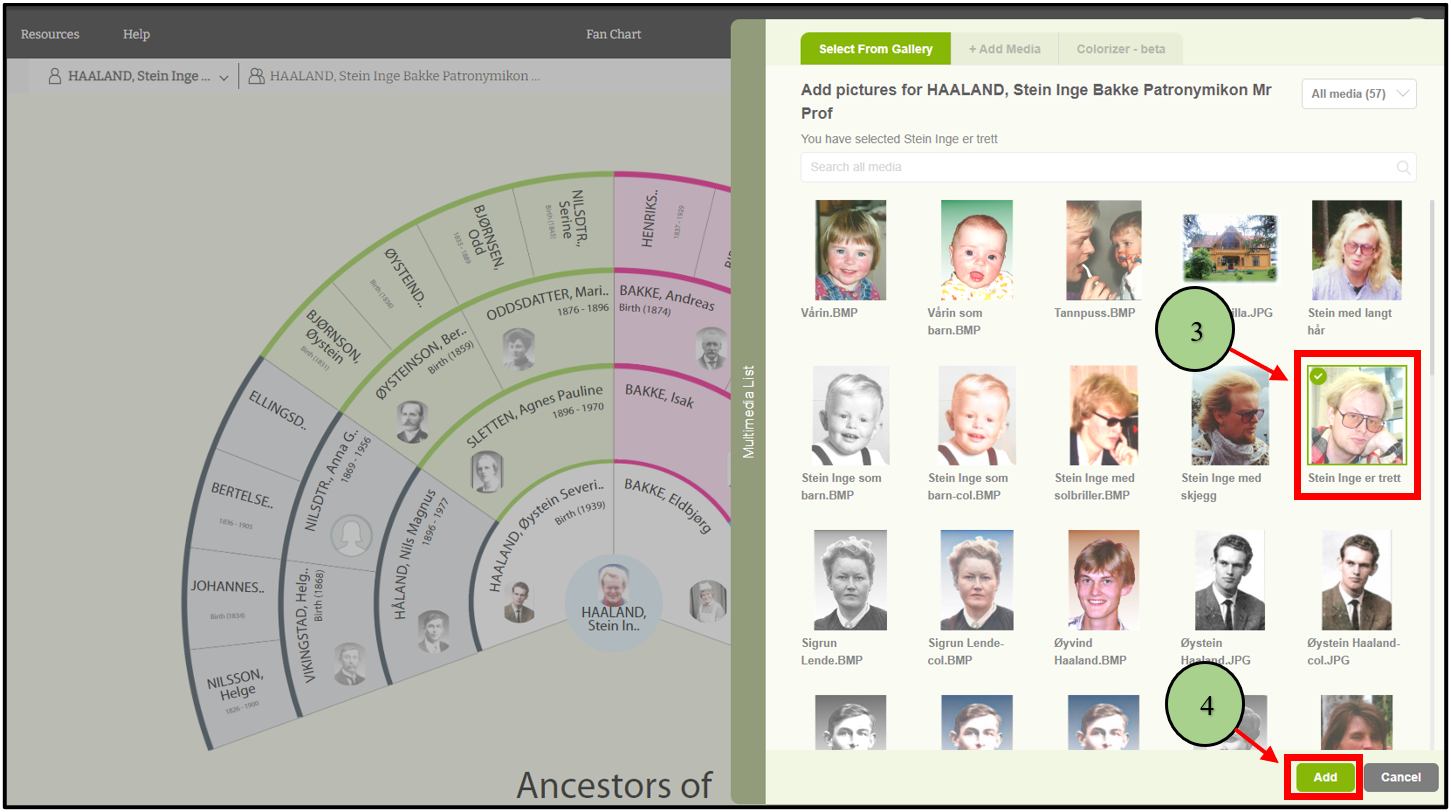
5. Then the profile image will change as follows.

Else,
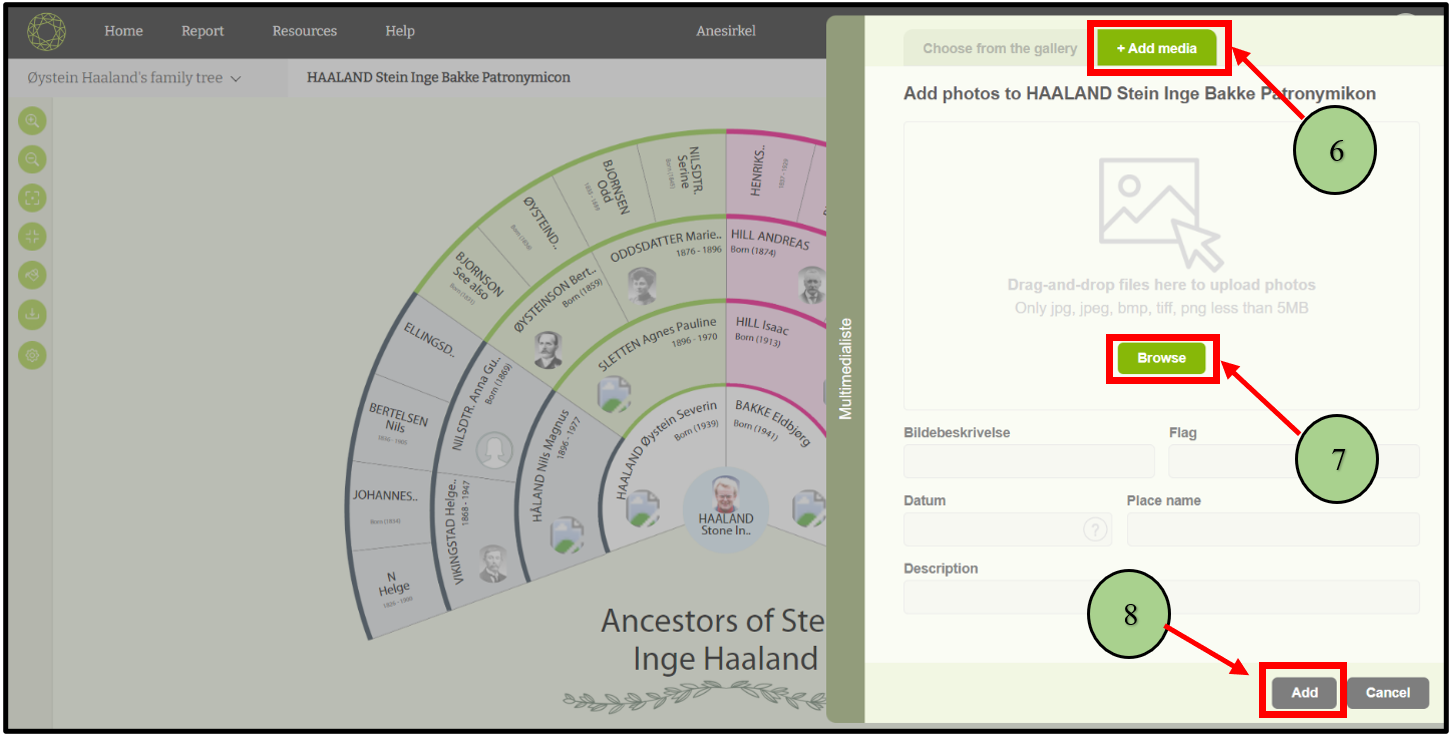
6. Users can upload a new image by clicking the “Add media” button.
7. To upload images, users need to browse images from their computer.
8. After uploading the image, the add button will enable, and click on it. Then the uploaded image will be set as the profile image.
Leave a Reply