Fan chart report is an artistic way of representing the ancestors of the root person as a ‘Fan’.
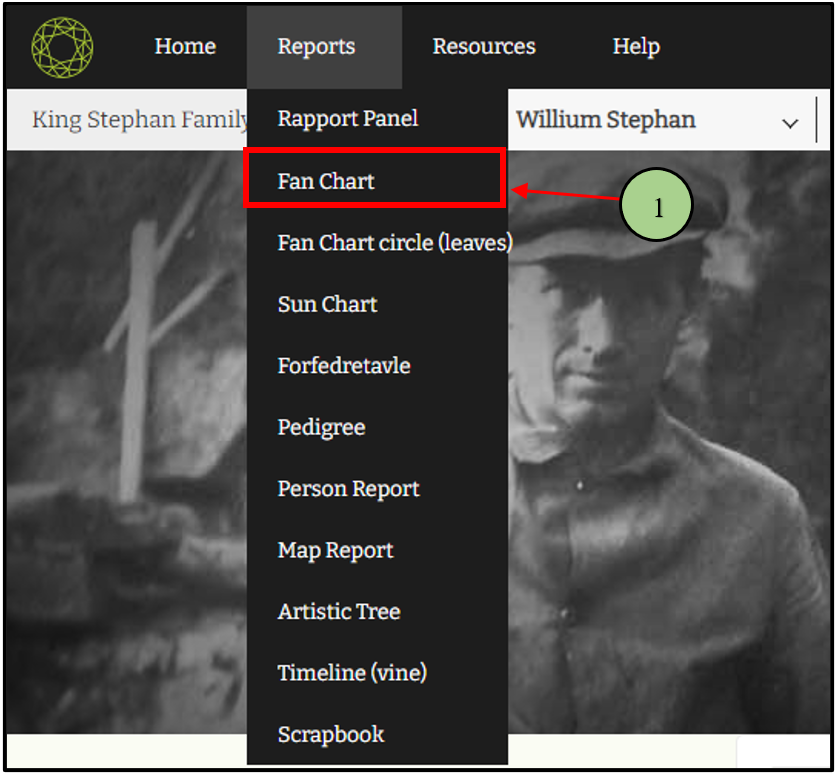
1. First the user needs to click on the ”Report” link and select the “Fan Chart”.
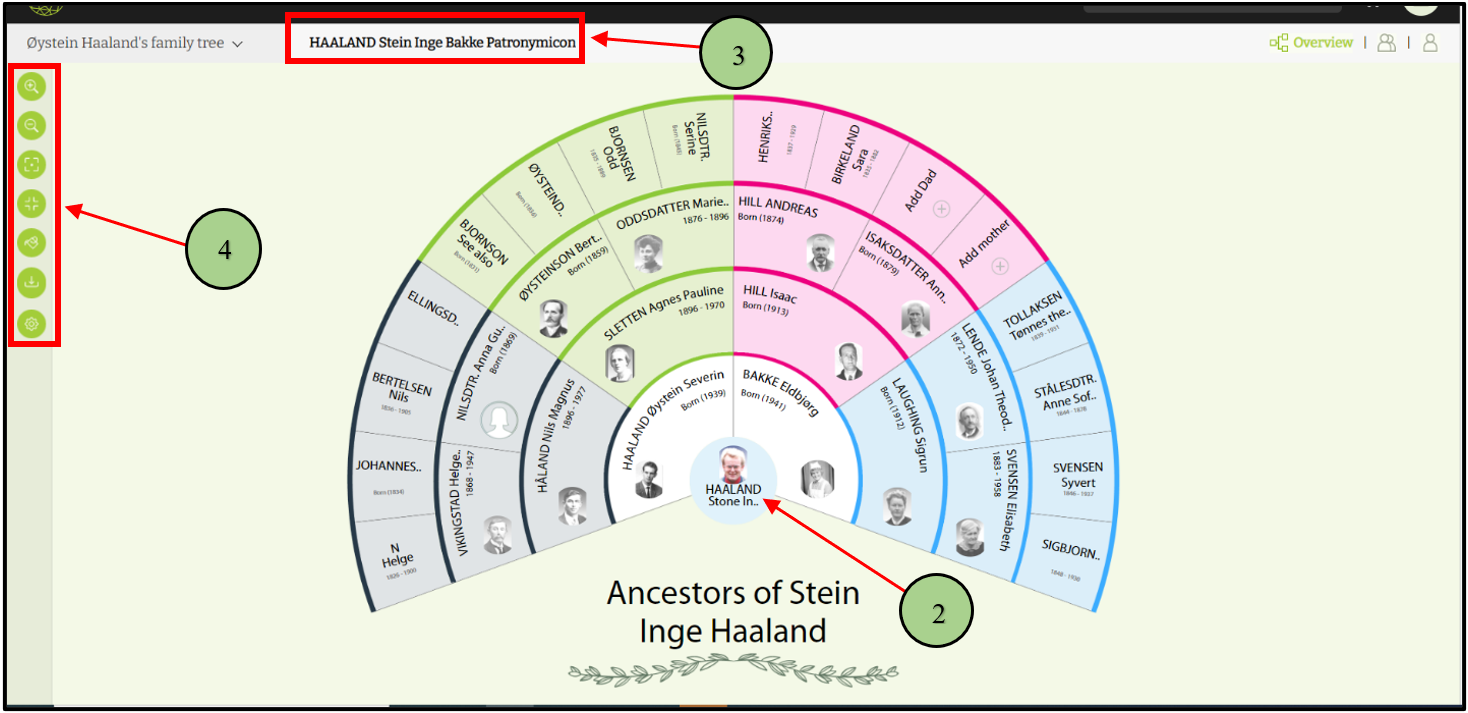
2. Then the user will be redirected to the fan chart report page.
3. The user can view the name of the root member next to the name of the family tree
4. On the fan chart page, users can view the function bar in the left corner. It includes the below options and can be adjusted according to the user’s preference.
- Zoom in
- Zoom out.
- Center option
- Zoom for an extend
- Change color
- Publisher
- Fan chart options
Leave a Reply