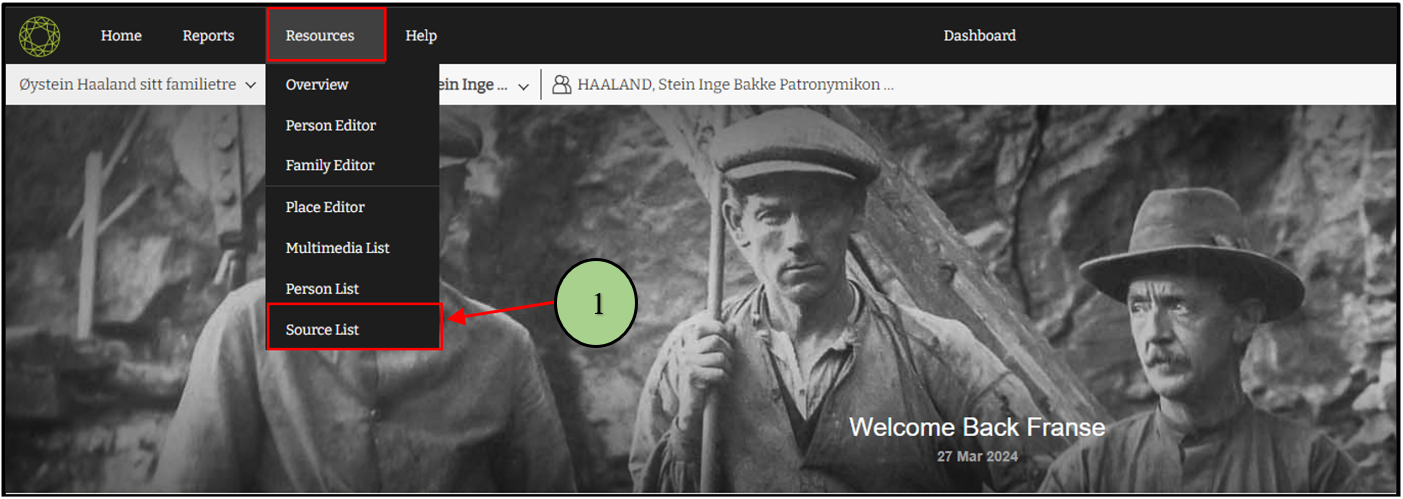
1. Users are able to navigate to the Source list by clicking on the “Source List” option in the Resource menu.
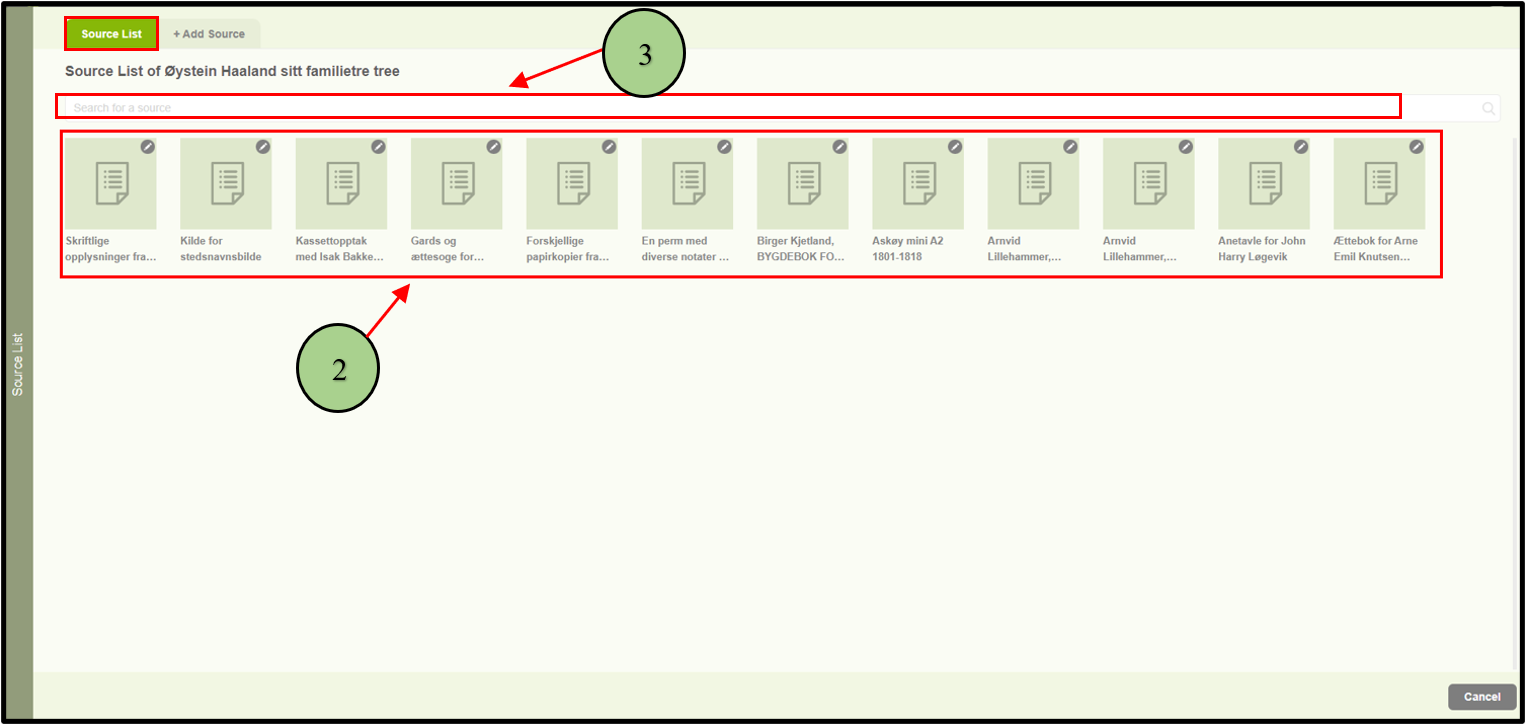
2. Then users can view all the sources connected with the family project in the “Source list” tab.
3. Users can search for sources by using the search option.
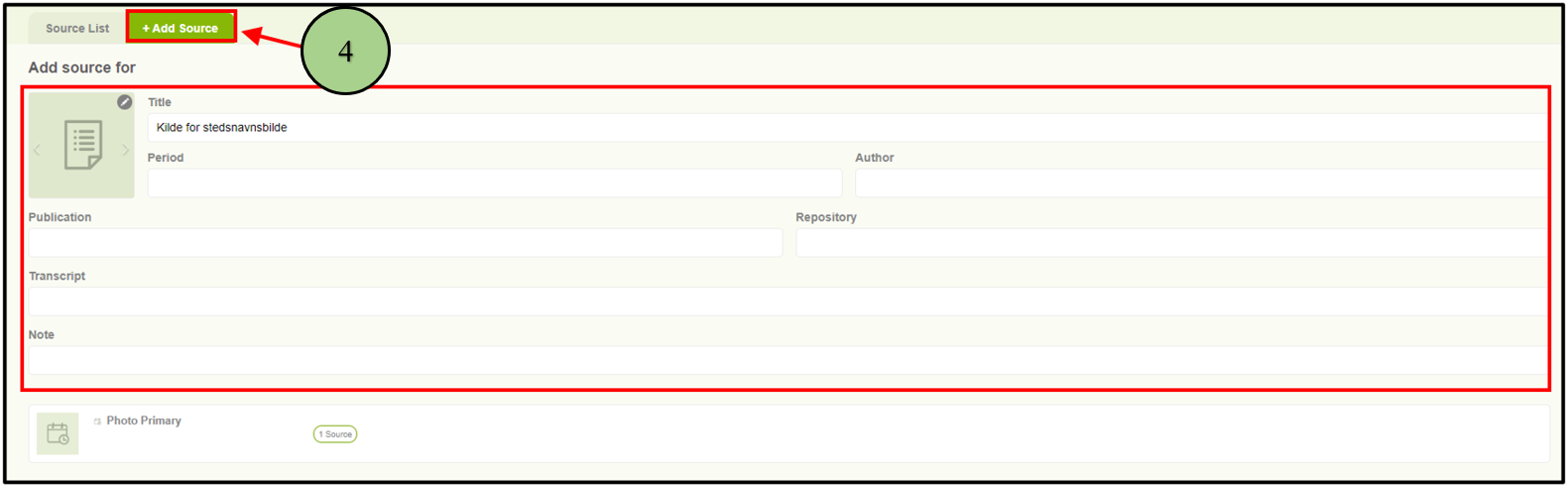
4. The other tab on that page is “Add Source.” Users can add a new source from there.
Leave a Reply