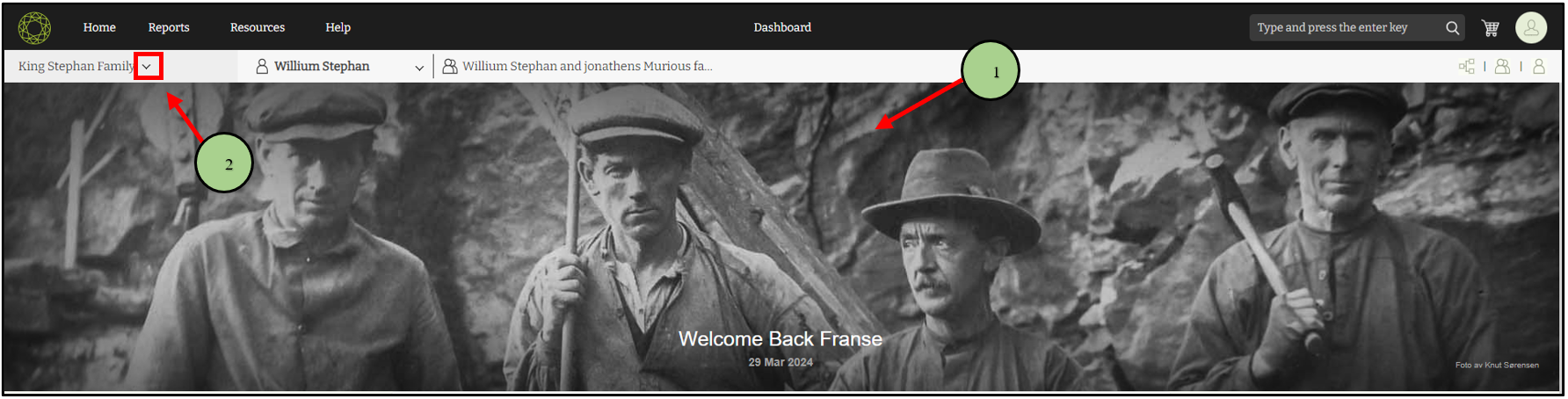
1. Go to the version 10 web application.
2. Click on the dropdown icon near the Family tree name.
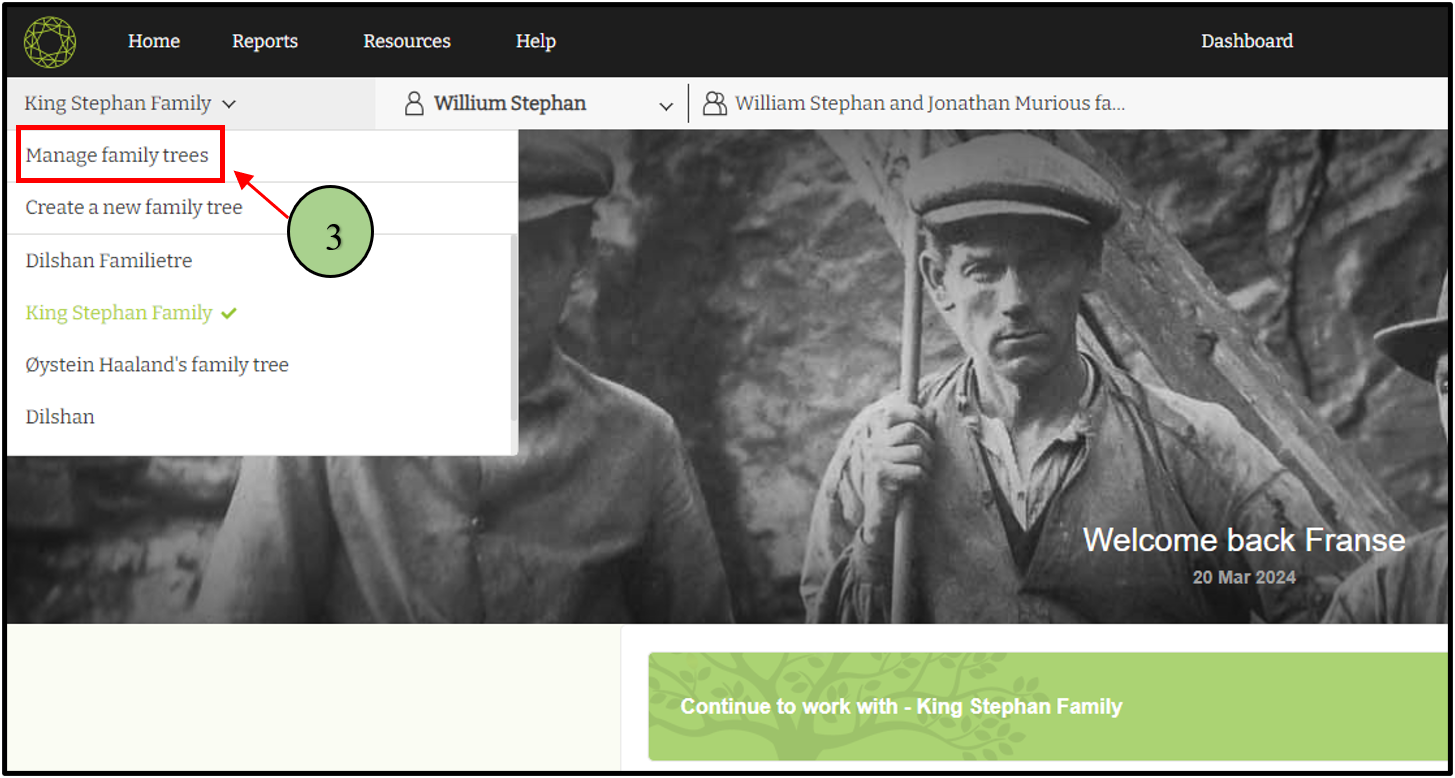
3. Click on the “Manage Family Trees” option.
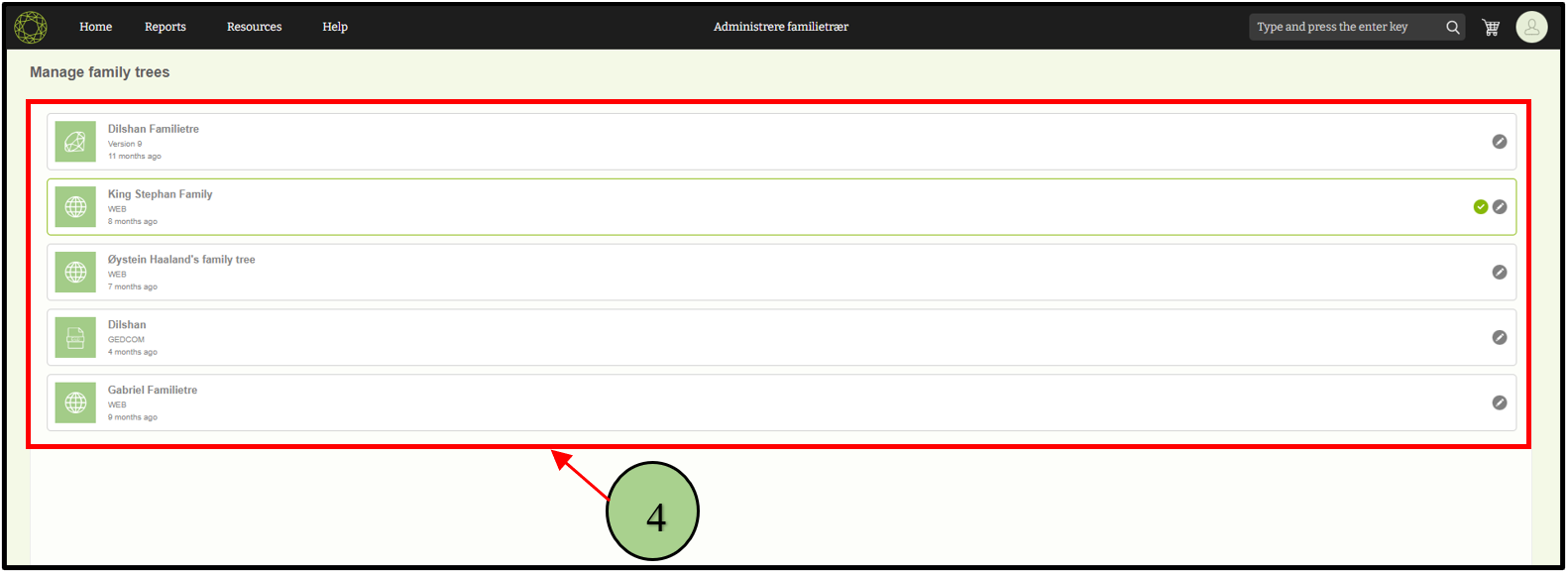
4. View the list of already created trees
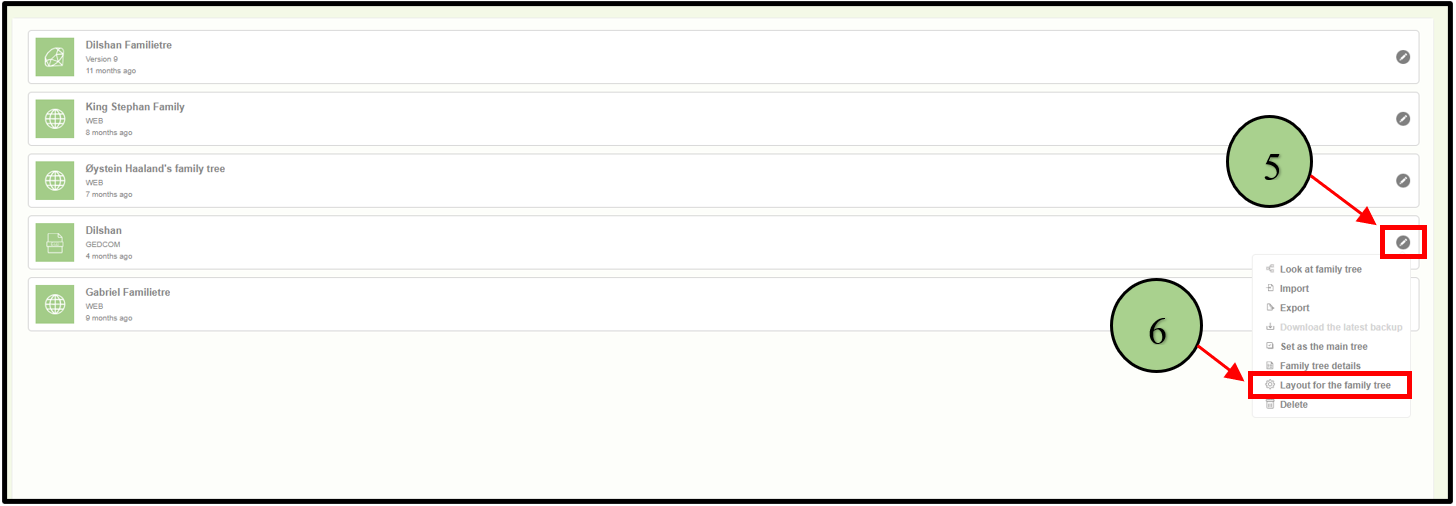
5. Click on the edit icon next to the tree for which the user wants to set up the layout.
6. Select the “Layout for the family tree” option.
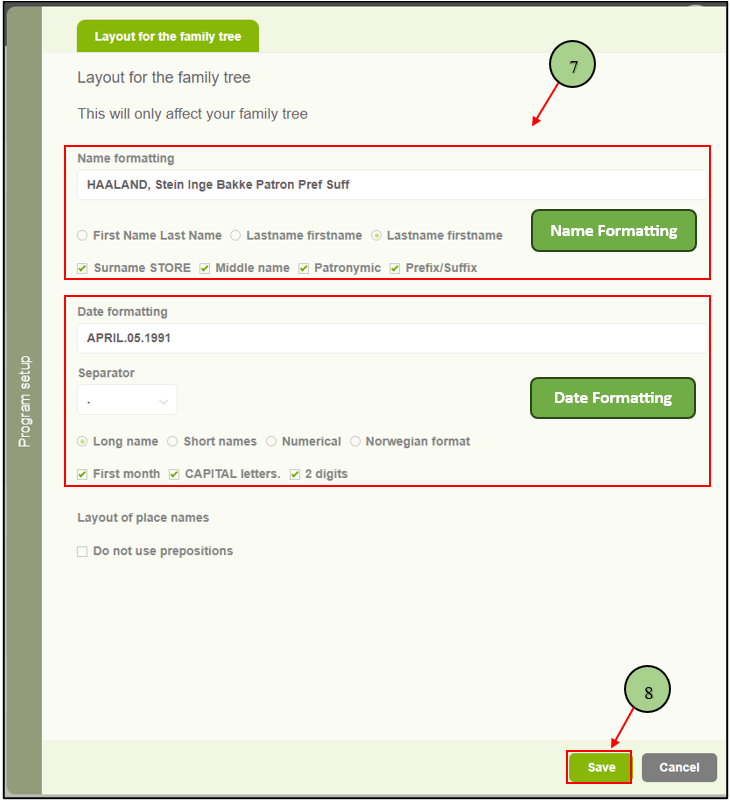
7. A side panel window will appear. Use the options provided to change the name’s display format and date format.
8. After changing the formats, click on the “Save” button to save the changes
Leave a Reply