In the report engine, there is a function bar in the left corner and it includes the below functionalities.
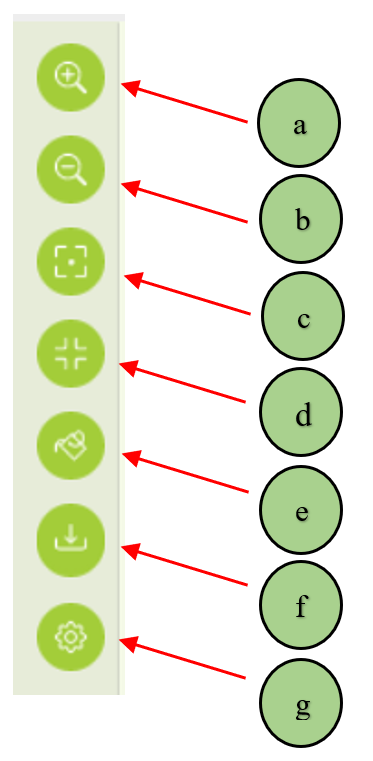
a. Zoom in option
b. Zoom out option
c. Center option
d. Zoom for a extended
e. Change color
f. Publisher
g. Settings
Change Color (e)
Users can change the fan chart colors with different themes.
1. Select the paint bucket option in the function bar. Then the color selections appear in a box. After that users can select their preferred color theme.
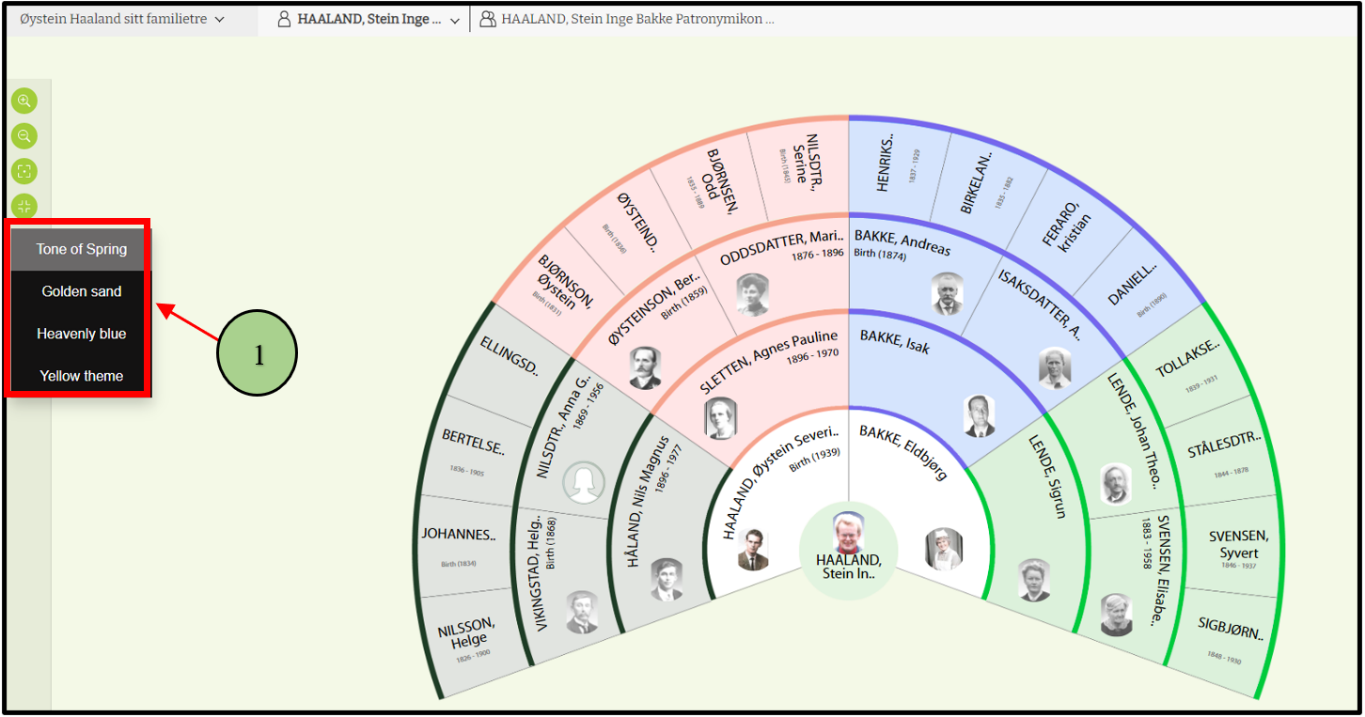
2. Then the colors will change according to the selection.
Option (g)
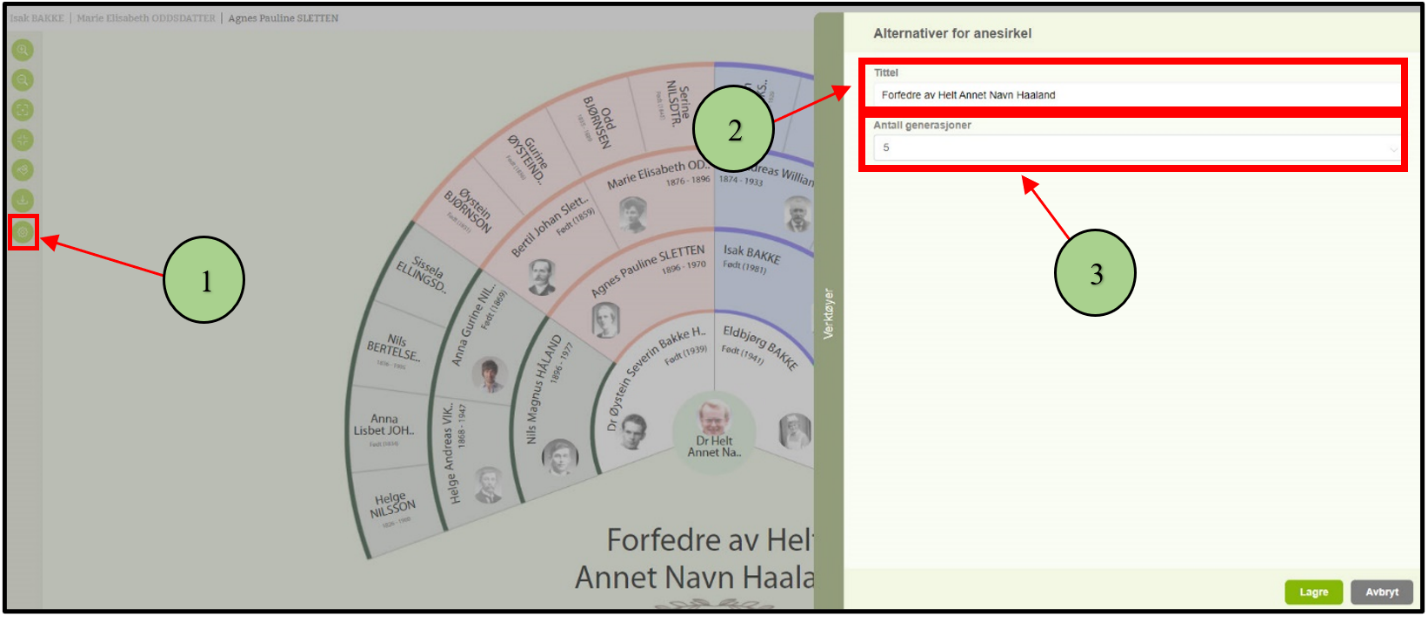
Users can change the display name and number of levels of ancestors to be visible in the chart, using this option. And users are able to view up to 9 levels in the fan chart
1. Click on the settings icon in the function bar and the pop-up box will display.
2. Using the “Title” option users can change the display name of the fan chart.
3. Using the “Number of Generation “ option users can update the number of levels to display.
Leave a Reply