1. Go to the version 10 web application.
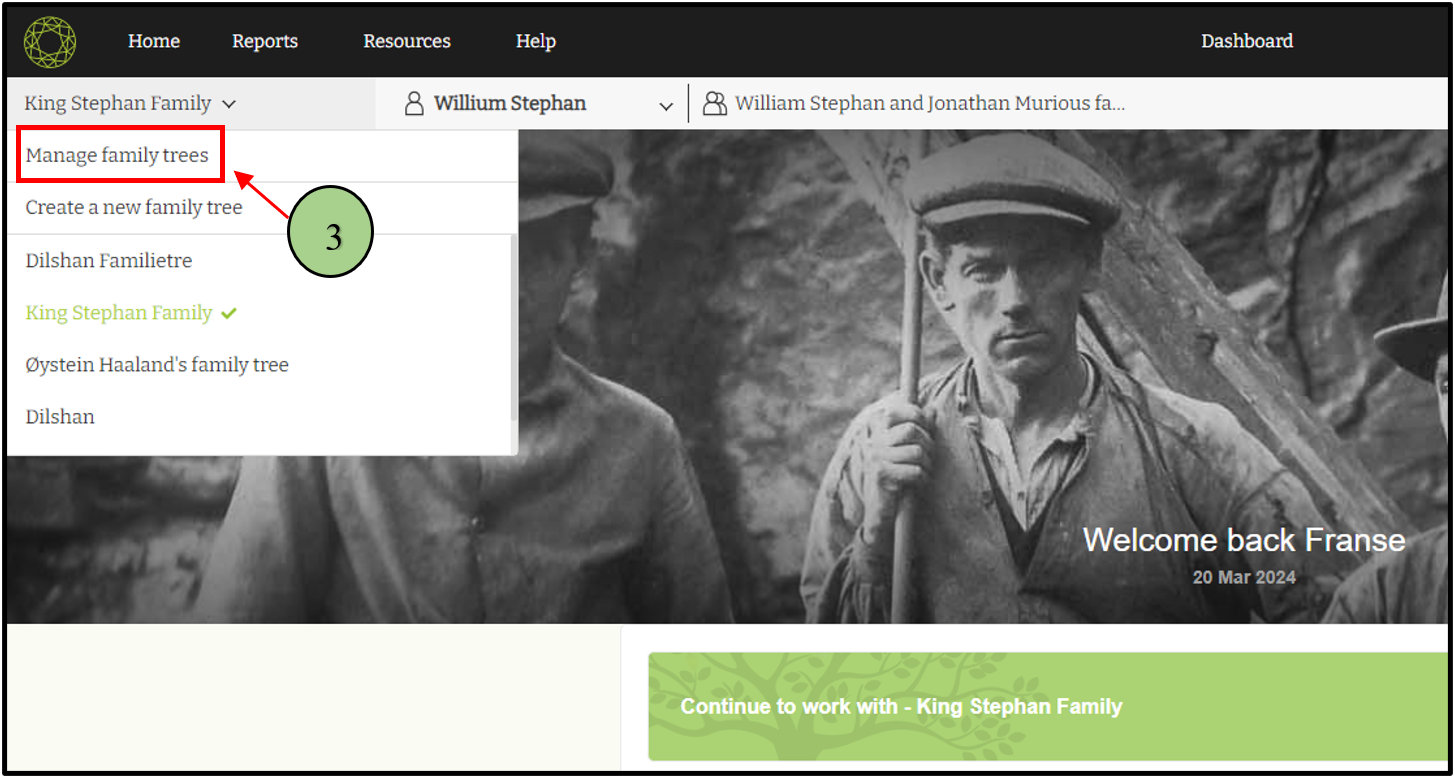
2. Click on the drop-down icon near the family tree name.

3. Click on the ‘Manage Family Tree’ link
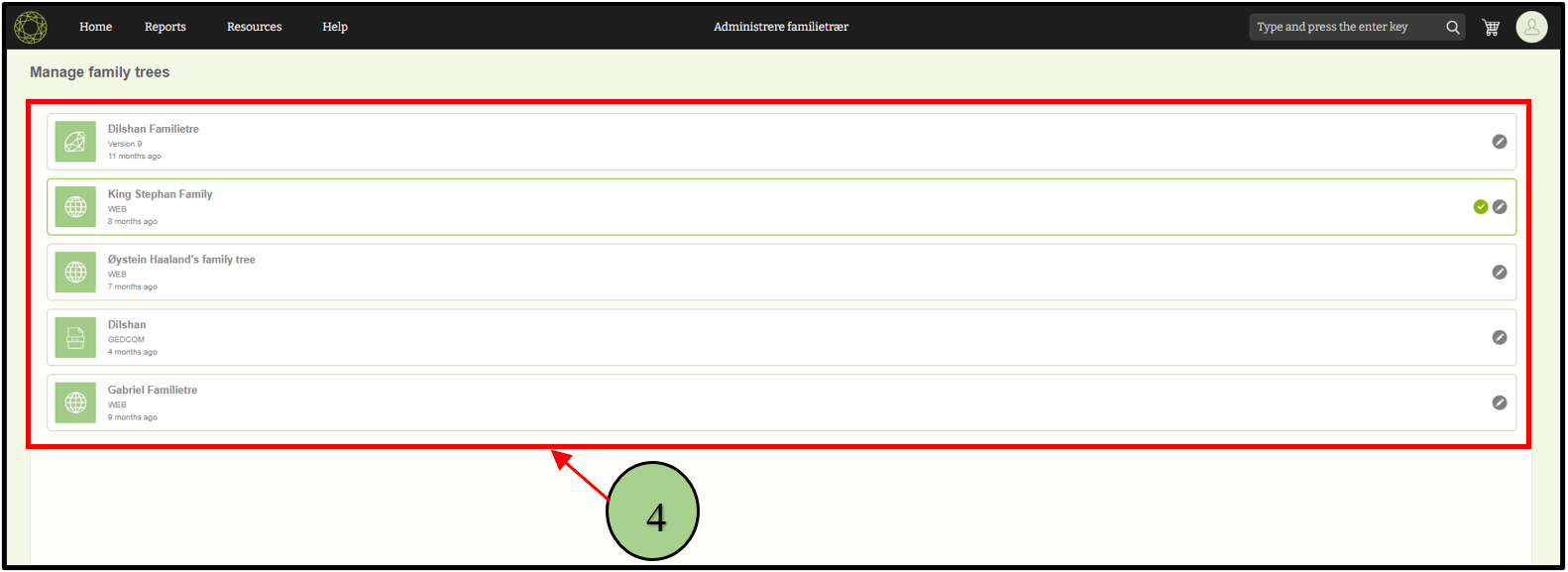
4. View the list of already created trees.
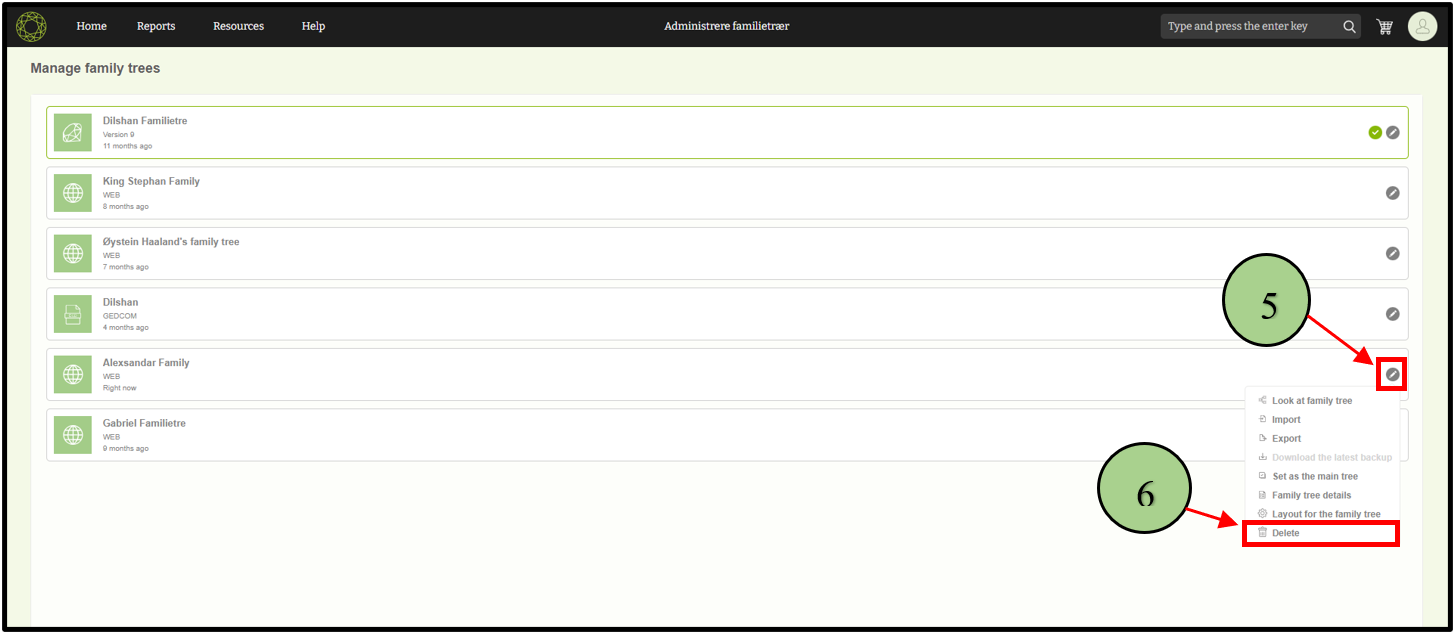
5. Click on the edit icon next to the tree that is to be deleted by the user.
6. Choose the “Delete” option from the menu.
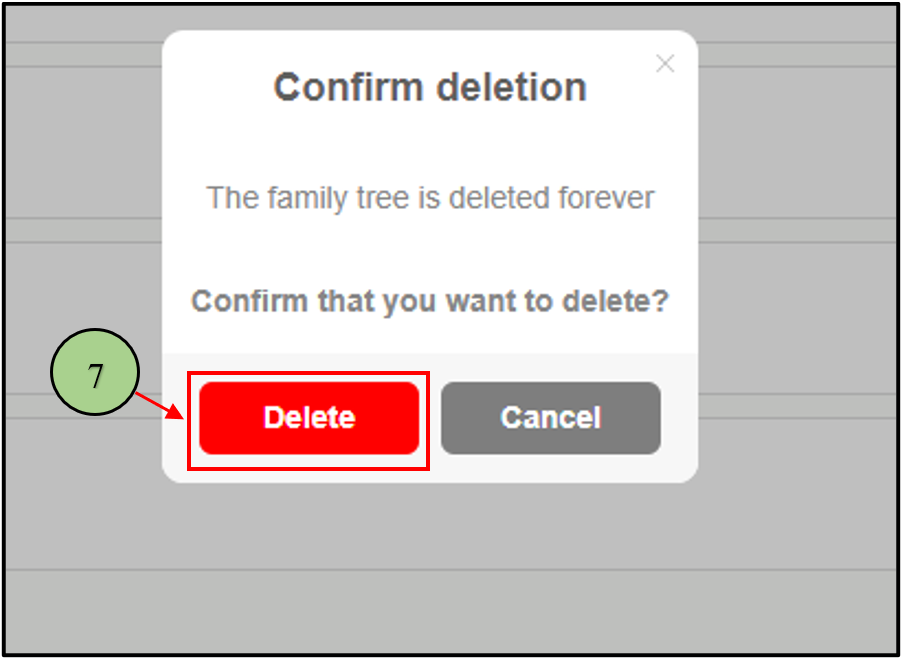
7. A pop-up box will appear to confirm the delete process.
8. Click the “OK” button in the pop-up box.
9. The tree will be permanently deleted.
Leave a Reply