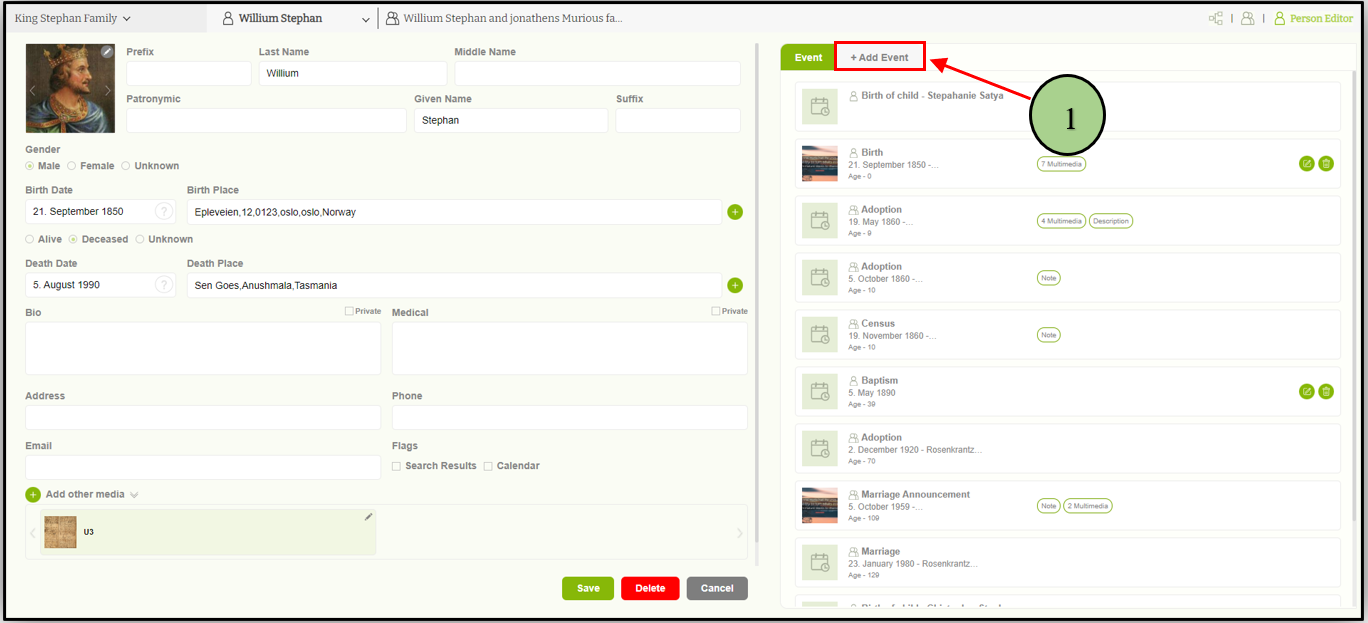
1. Users can add a personal event by clicking on the “Add event” tab in the right pane of the ‘Member editor’ page
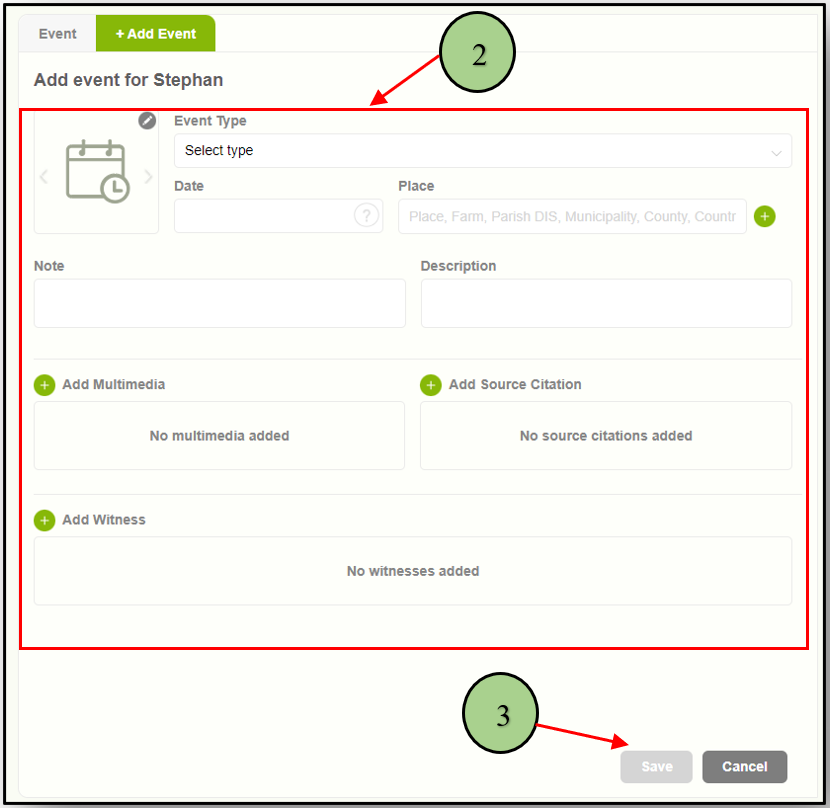
2. When clicking on the Add Event tab, the user can view the form to enter details.
3. Add all the mandatory data and click on the “Save” button to store the event.
Leave a Reply