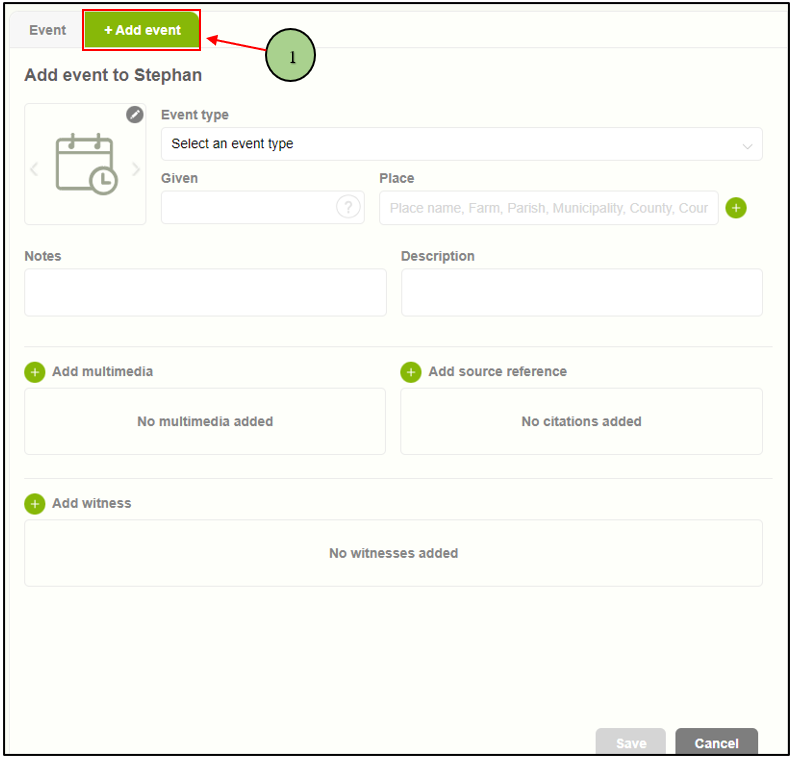
1. Users can add an event by accessing the “Add Event” tab.
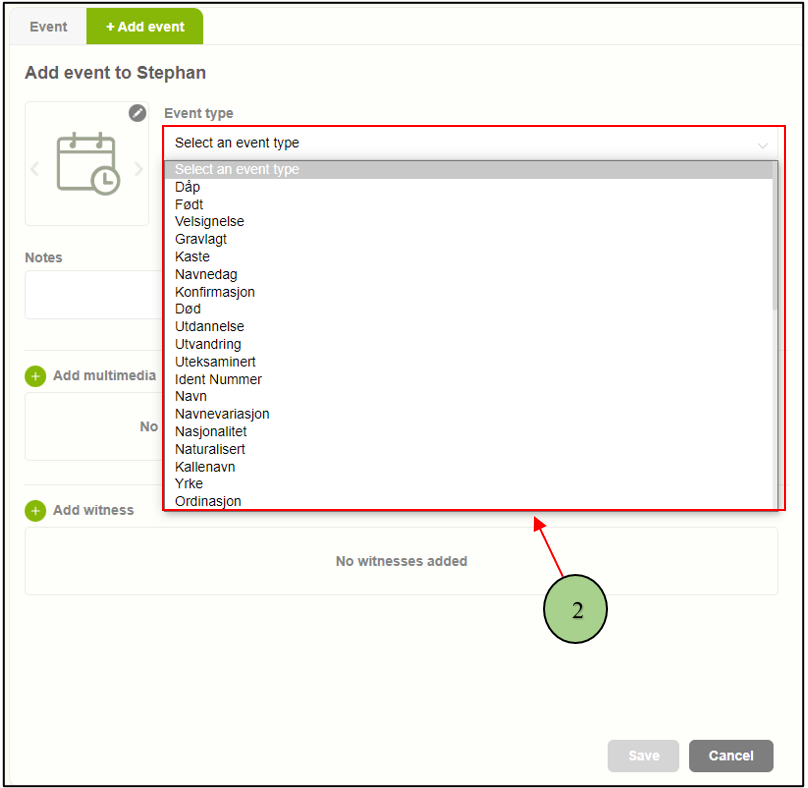
2. Users are presented with a list of different events from which they can select their desired option.
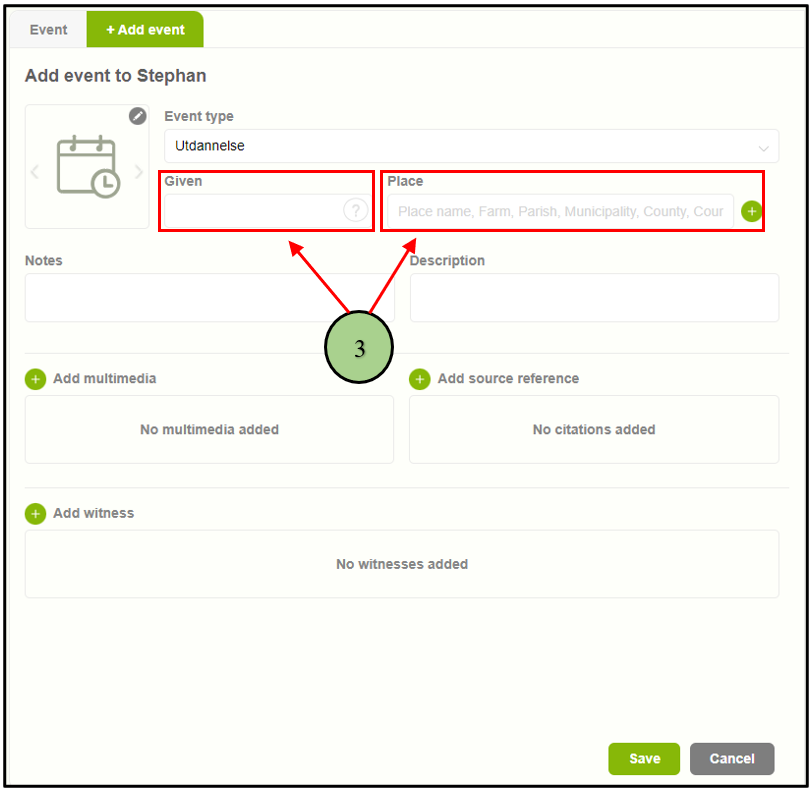
3. Users can then input the event date and location.
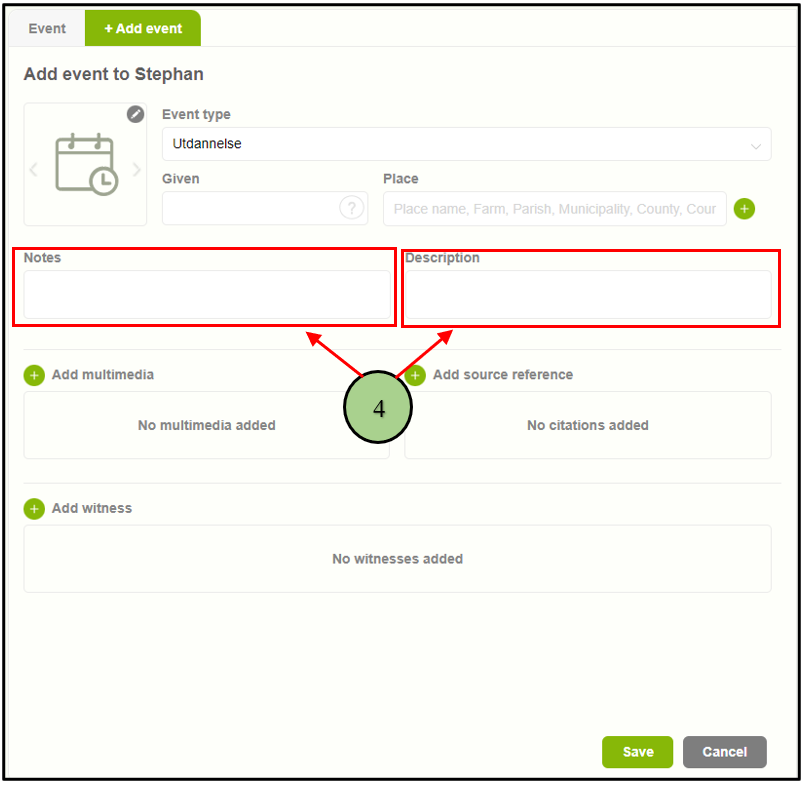
4. Users can add notes and descriptions about the event.
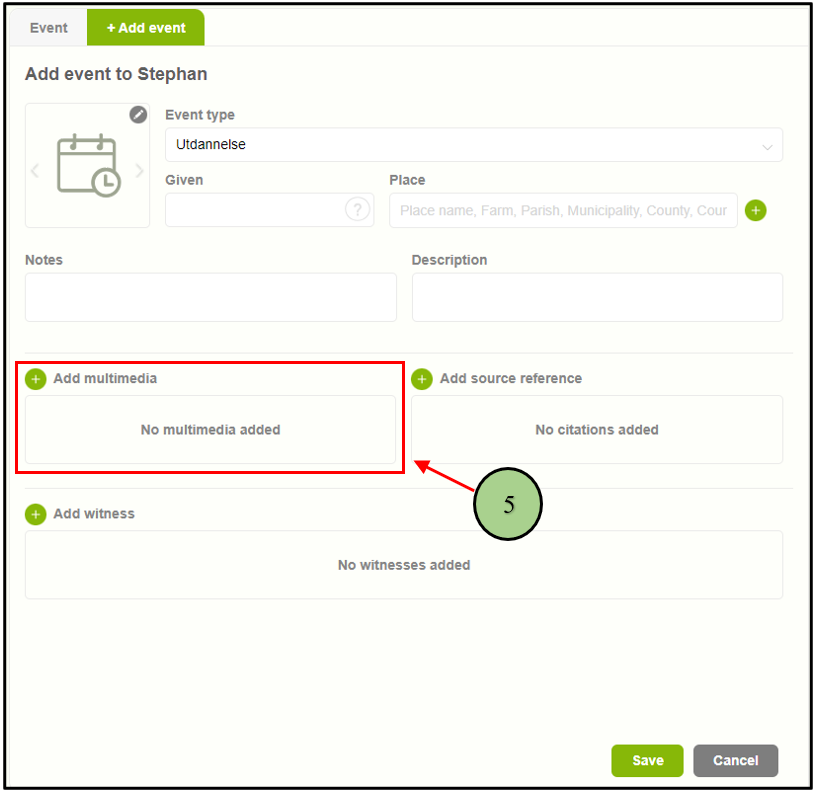
5. Additionally, they can include multimedia content to enrich the event details.
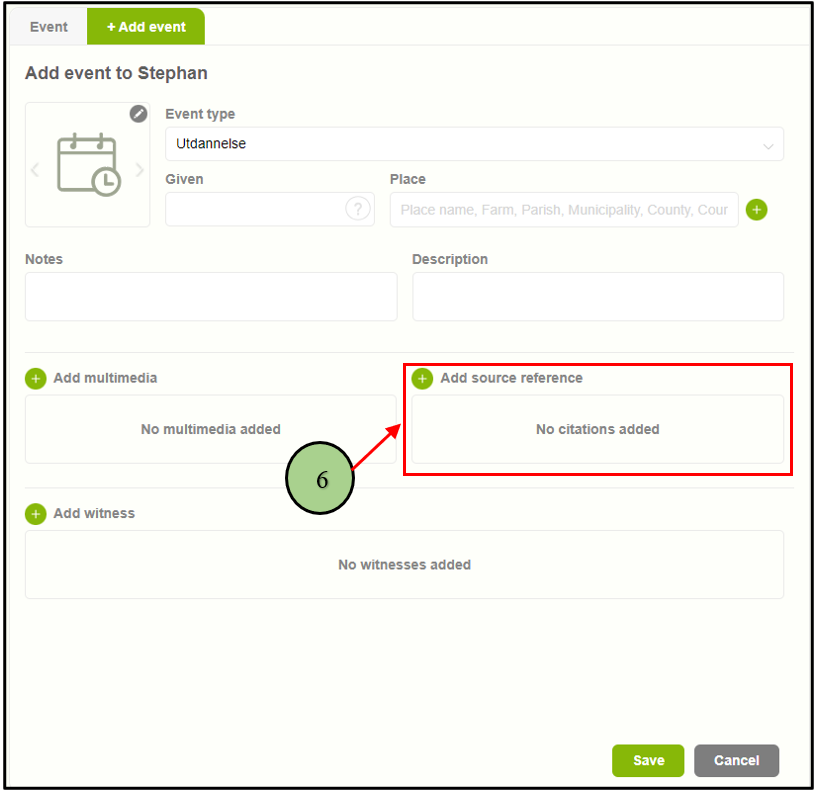
6. Users are prompted to add source citations to authenticate the information provided.
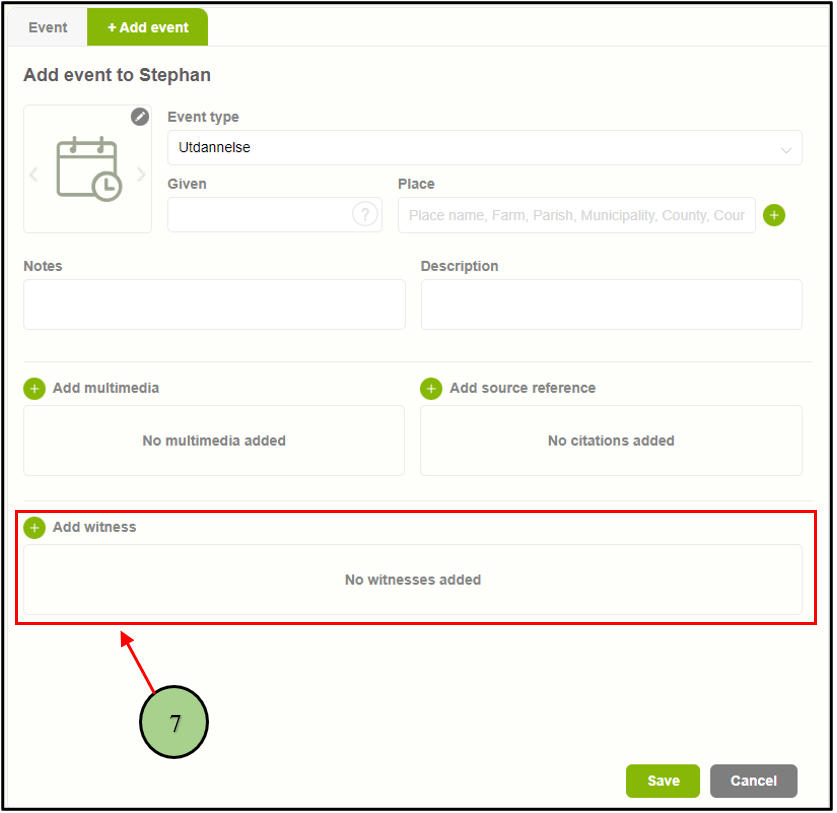
7. Finally, users have the option to add witnesses associated with the event.
Leave a Reply