1. Users have the option to add proof or reference for an event utilizing the “sources” feature.
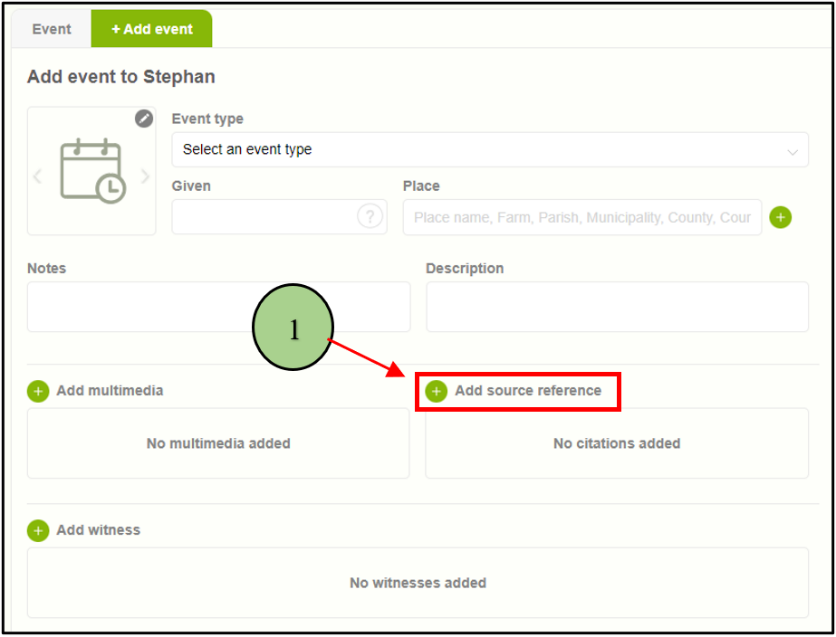
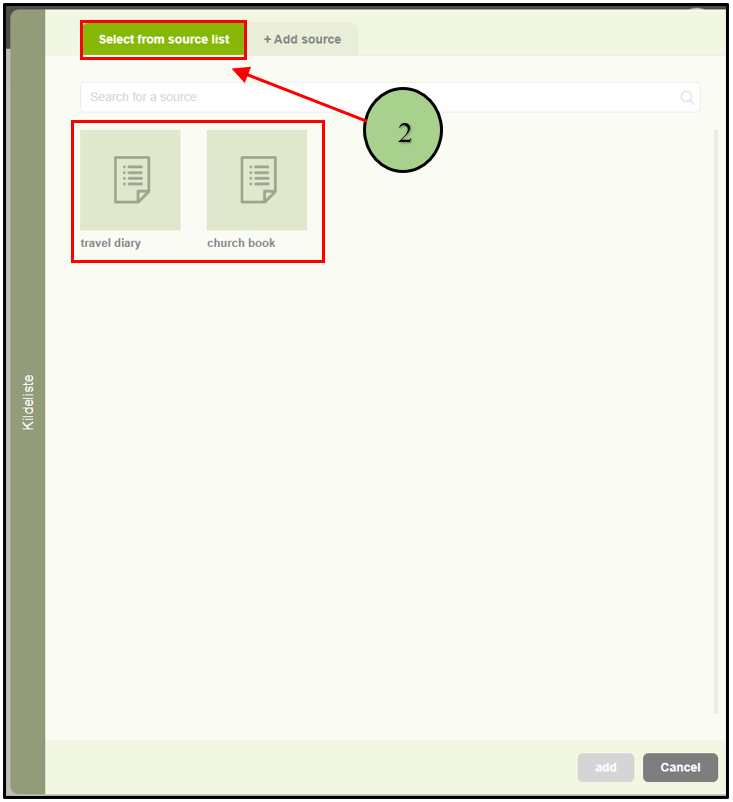
2. Upon clicking on “sources,” a pop-up window will appear with two tabs. The first tab displays the available sources.
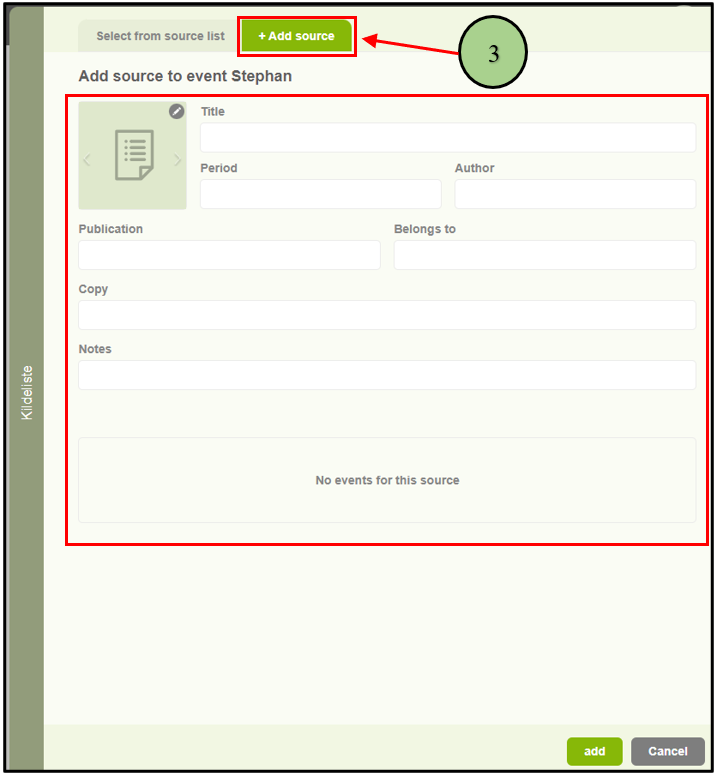
3. The second tab provides the option to “Add New Source” for the event.
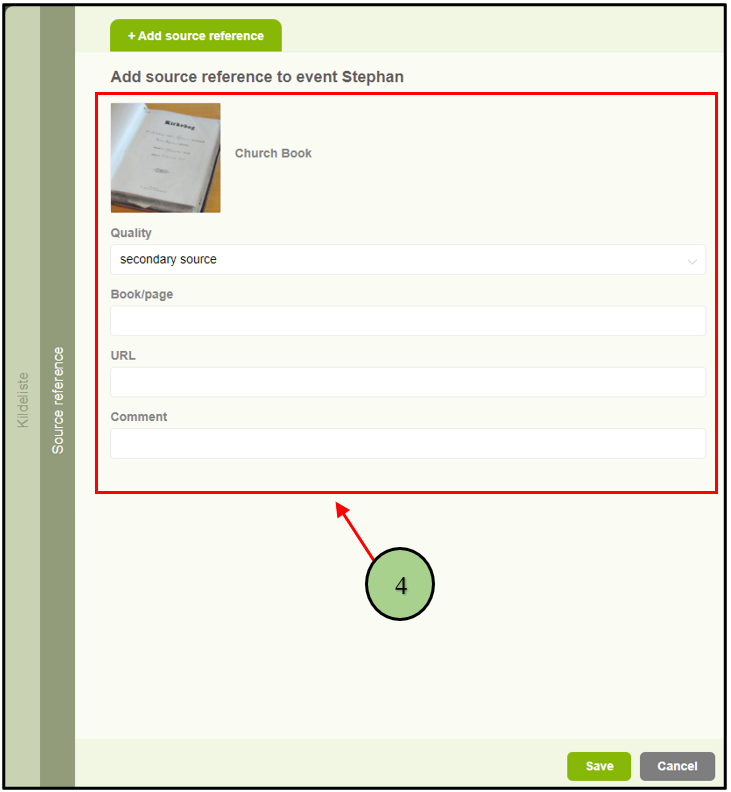
4. Following the addition of an existing source or the creation of a new one, another pop-up window will appear to input citation details, allowing the user to cite the relevant source information.
Leave a Reply