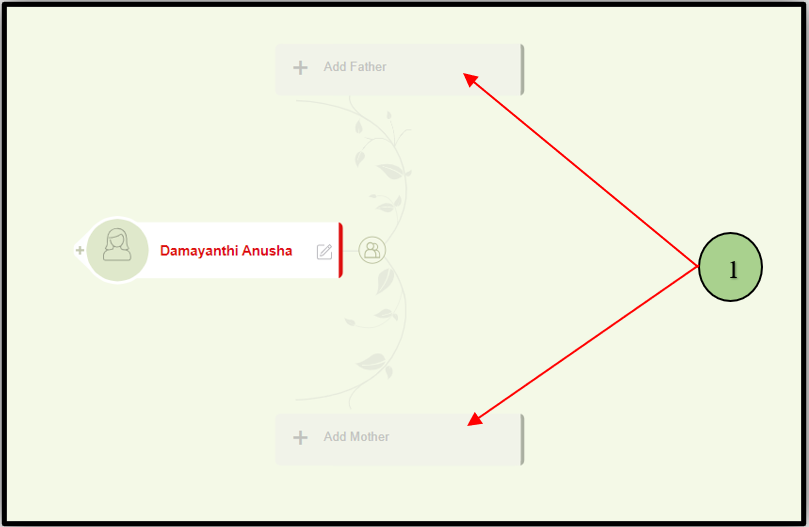
1. Users can add parents by clicking on the parents’ nodes in the tree editor.
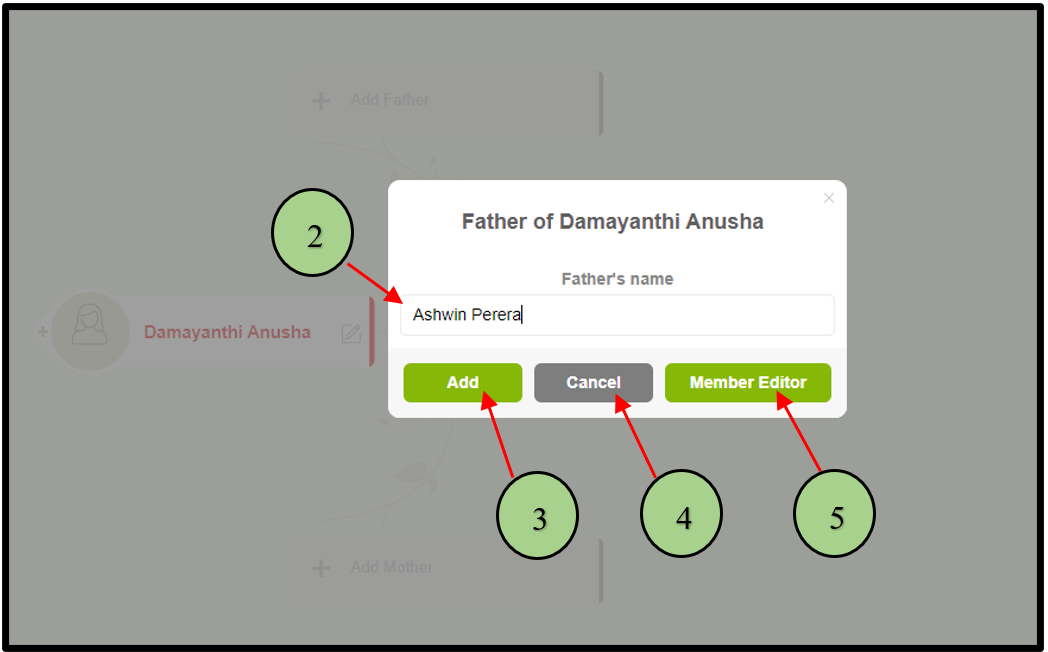
2. Once the user clicks on one of the parent nodes, a popup will appear to add the parents’ first and last names.
3. Clicking on the save button lets the user proceed.
4. If the user wants to cancel that process, click the cancel button.
5. If the user wants to go inside the ‘Member editor”, after entering the name, click the “Member editor” button.
Leave a Reply